An architecture presentation board has a few seconds to make its case. Jurors walk past dozens of panels, tutors scan a pin-up wall, and a client flicks through a PDF. The layout decides what they look at first, what they read next and whether the idea survives the walk past. Good boards are rarely the ones with the most drawings. They are the ones with a clear order.
Most boards also need people, trees and everyday life to make the drawings feel inhabited, and our free architectural cutouts are made for exactly that. Below are 15 architecture presentation board layouts, each taken from a real competition entry or project, with notes on what the layout does well, when to use it and one thing to borrow. If you need the drawings themselves, our guides to section drawing styles, architectural diagrams and rendering styles cover each piece in more depth.
1. Hero Render with a Diagram Strip
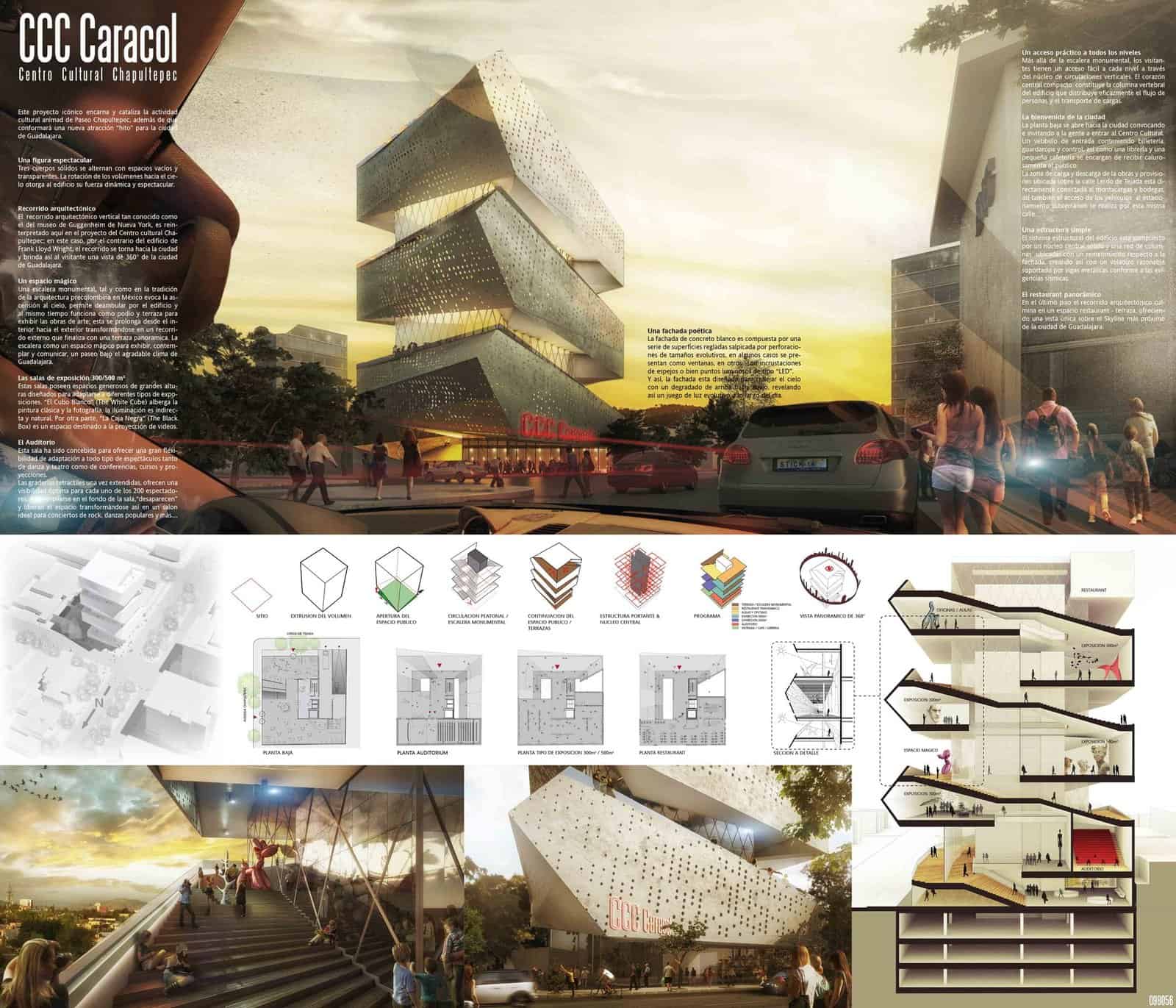
PM²G’s entry for a cultural centre on Paseo Chapultepec in Guadalajara gives almost half the board to one dusk street view of the twisting tower. Under it, a single strip of small white diagrams explains the idea step by step, from site and volume to program and the 360-degree view, before the plans and a cut-away section take over.
- What it shows: One dramatic image to stop people, then a tidy sequence that explains how the form was made.
- When to use it: Competitions and final reviews where the building has a strong silhouette.
- Tip: Keep the diagram strip on one baseline with matching sizes, so it reads as a sentence rather than a scatter.
2. Three Horizontal Bands
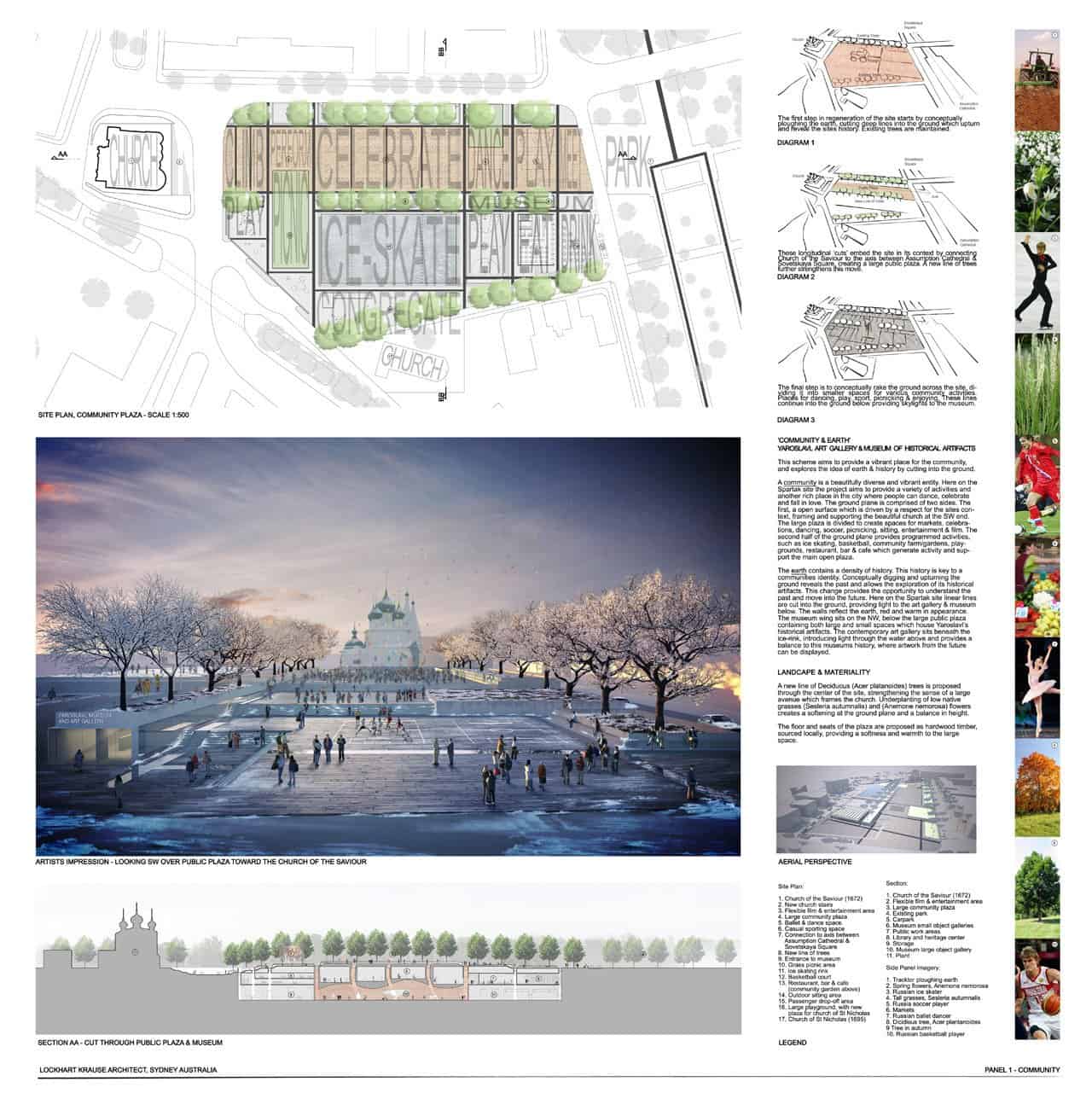
Sydney practice Lockhart Krause stacked its Yaroslavl museum and plaza entry into three clear bands: site plan on top, a wintry render of the plaza and church in the middle, and a long section through the buried galleries at the bottom. A narrow column on the right holds the diagrams and text, and a strip of small photos shows the activities the plaza is meant to host.
- What it shows: Plan, view and section aligned so the eye can move between them without hunting.
- When to use it: Landscape and public space projects where the ground plane is the main idea.
- Tip: Line up the section directly under the plan it cuts, so jurors can match the two at a glance.
3. Drawings Left, Full-Height Render Right
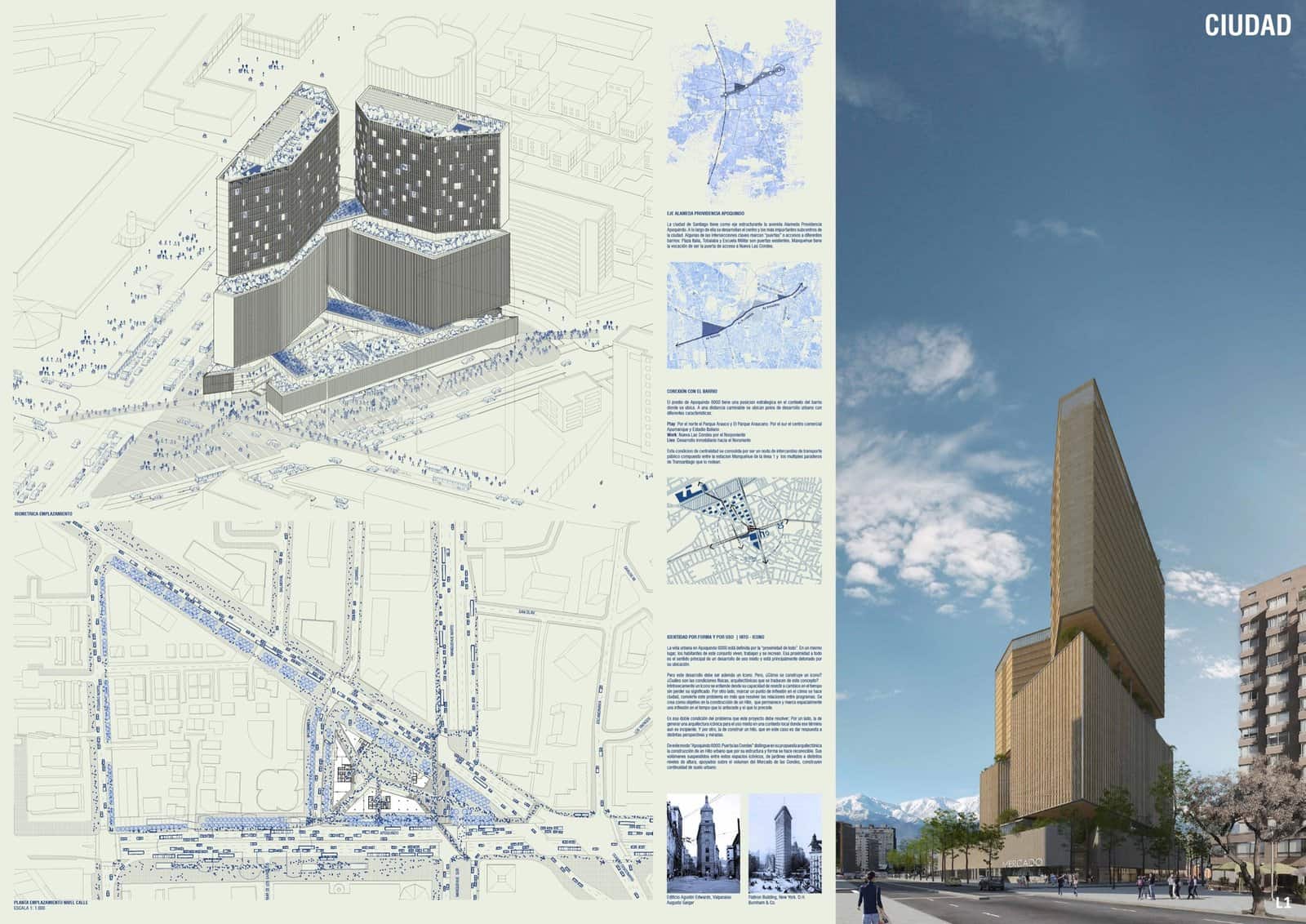
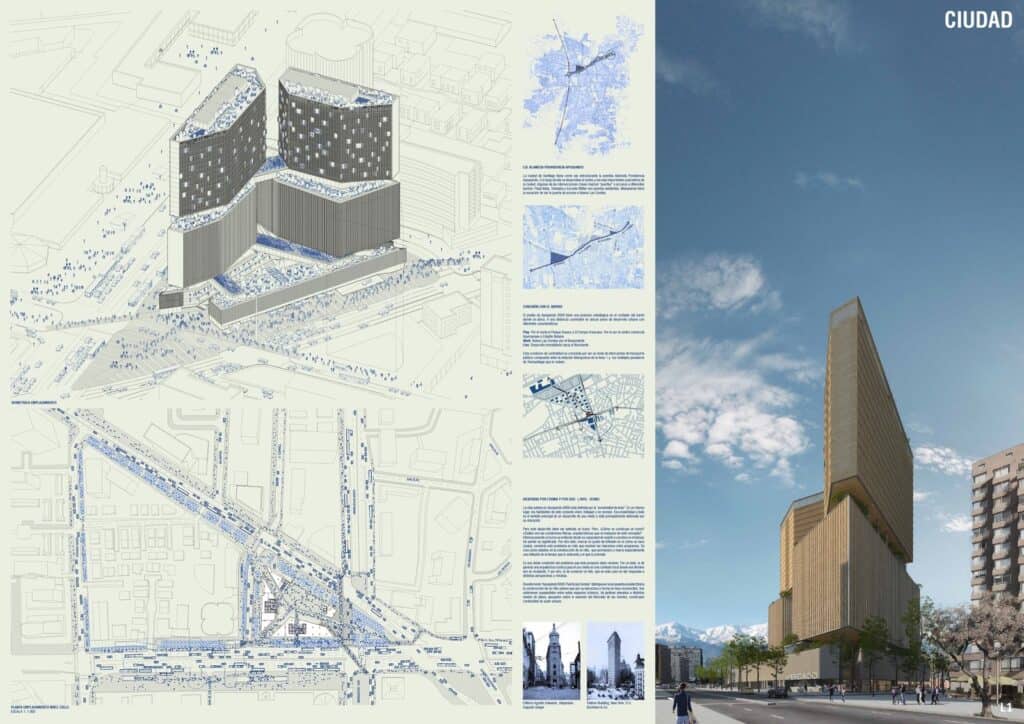
The finalist entry by Mobil Arquitectos and ARUP for the Puerta Las Condes competition uses the same split on all six boards. Line drawings and maps sit on a pale green left side, and a full-height render fills the right, with one word in the corner (CIUDAD, PAISAJE, VIDA) to say what each board is about. A tall tower suits a tall image, and the format makes the whole set feel like one document.
- What it shows: A repeating grid that makes a multi-board set feel consistent.
- When to use it: Tall buildings, or any set of three or more boards that will hang side by side.
- Tip: Give each board a one-word theme so jurors know what they are looking at before they read a line.
4. Generous White Space and a Bold Title
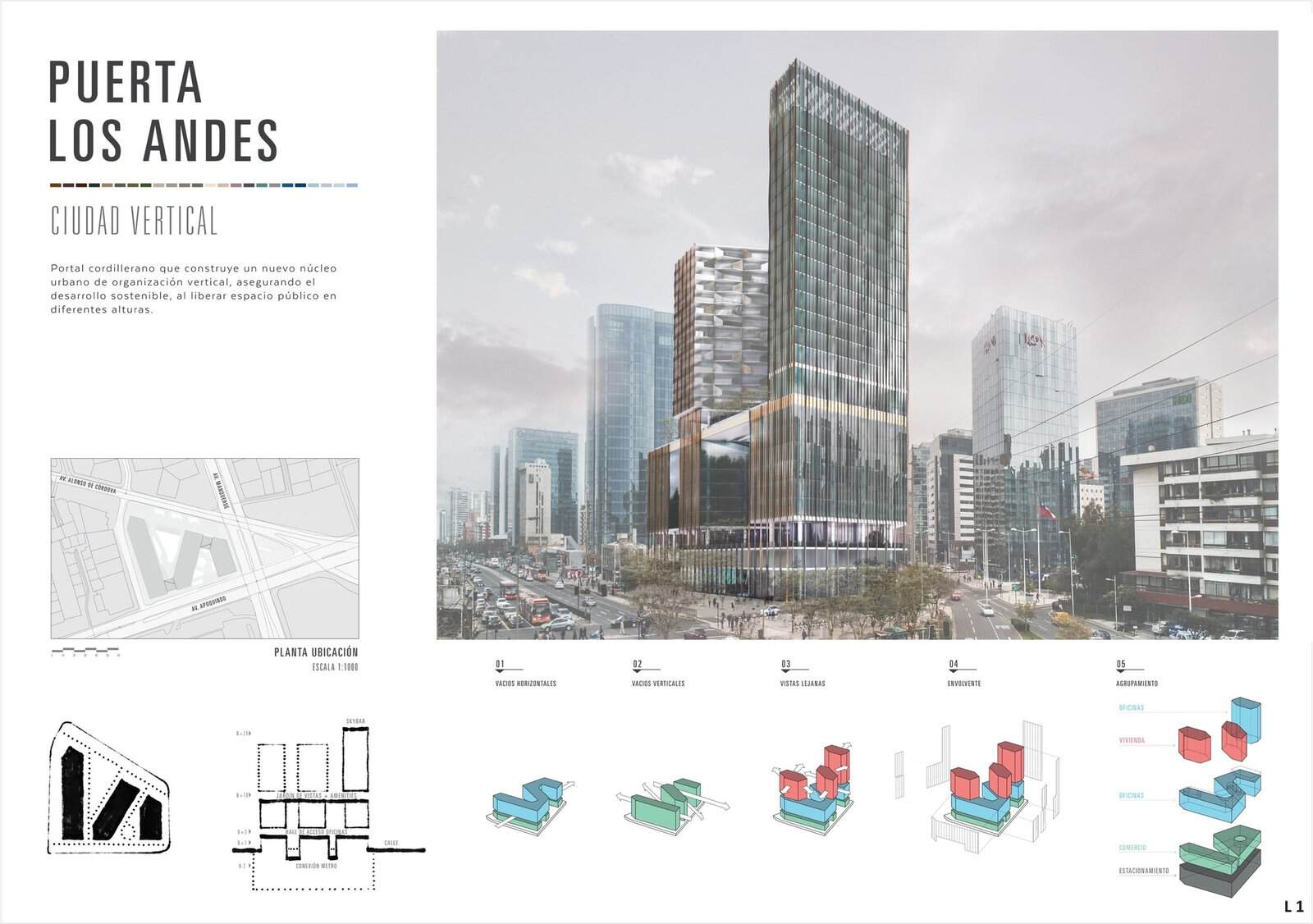
The winning scheme by +Arquitectos and Sauerbruch Hutton opens with a board that has plenty of breathing room. A tall condensed title, a short paragraph and a strip of facade colours sit in the top left, a photomontage of the towers in the real street takes the rest of the top half, and five small massing diagrams explain the stacking along the bottom.
- What it shows: Restraint: fewer items, larger margins and a palette taken from the building itself.
- When to use it: The opening board of a set, or any project where a calm, confident first impression matters.
- Tip: Pull your accent colours from the design and repeat them in the diagrams, as this board does.
5. Full-Bleed Image with Overlaid Text
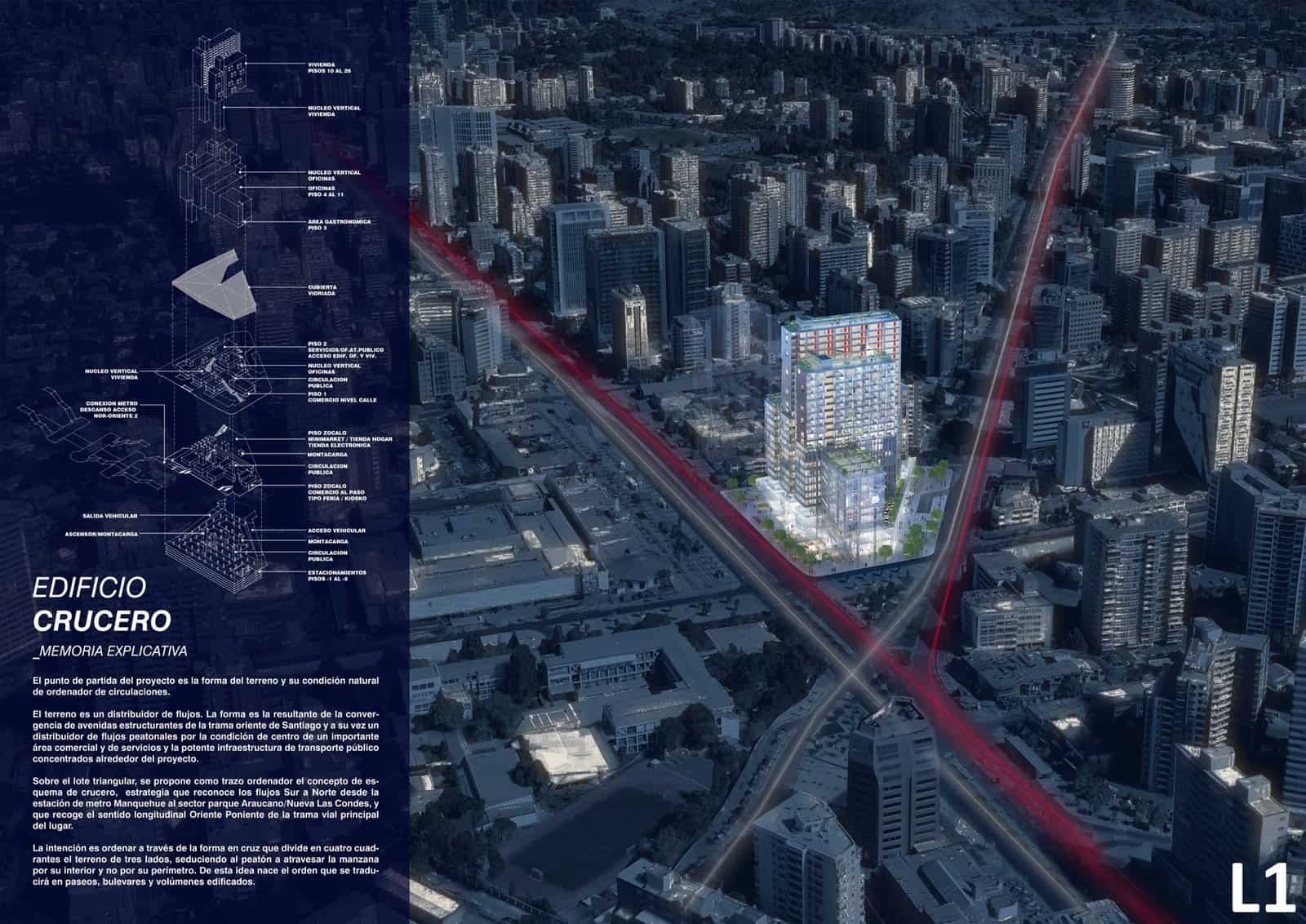
Sabbagh Arquitectos let a night aerial of Santiago run edge to edge, with two red lines tracing the avenues that cross at the site. A translucent dark panel on the left carries an exploded axonometric of the tower and the explanatory text, so the drawing and the city view share the same space without competing.
- What it shows: Context and concept in one move: the crossing of two avenues drives the plan, and the image proves it.
- When to use it: Urban sites where the relationship to the city is the main argument.
- Tip: If text sits over an image, darken or blur the area behind it first so it stays readable when printed.
6. Portrait Board with Atmospheric Vignettes
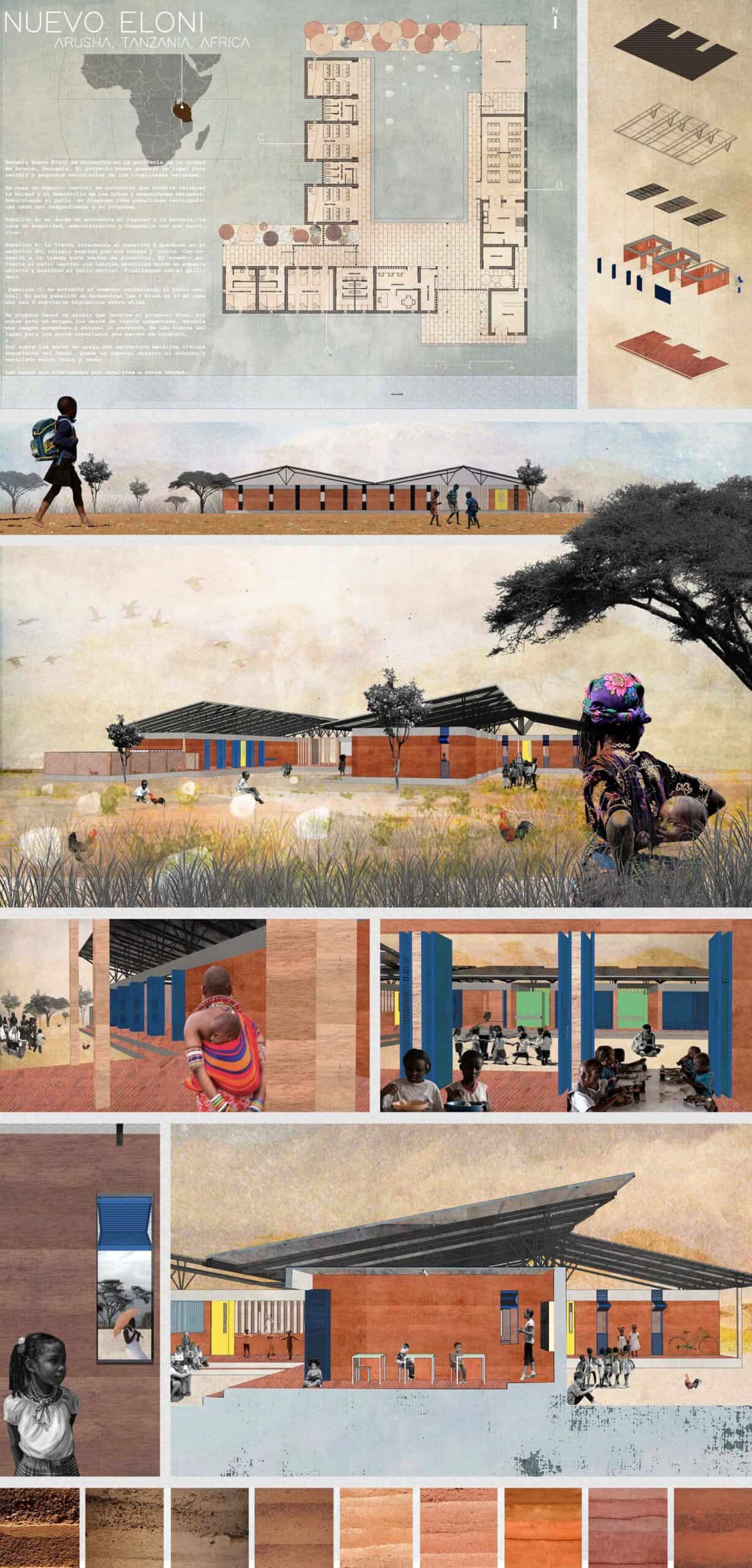
This early competition board for SSZA’s school near Arusha reads like a picture book. The plan and an exploded axonometric sit at the top, then a series of soft, painterly views show children walking to school, a mother in the long grass and lessons under the deep roof. A row of earth samples along the bottom ties the images to the earthy tones of the walls.
- What it shows: How a building will feel in its landscape, told through the people who will use it.
- When to use it: Community, school and rural projects where atmosphere matters more than technical detail.
- Tip: Use one consistent texture or paper tone across every vignette so they read as a set.
7. Inhabited Sections Across the Board
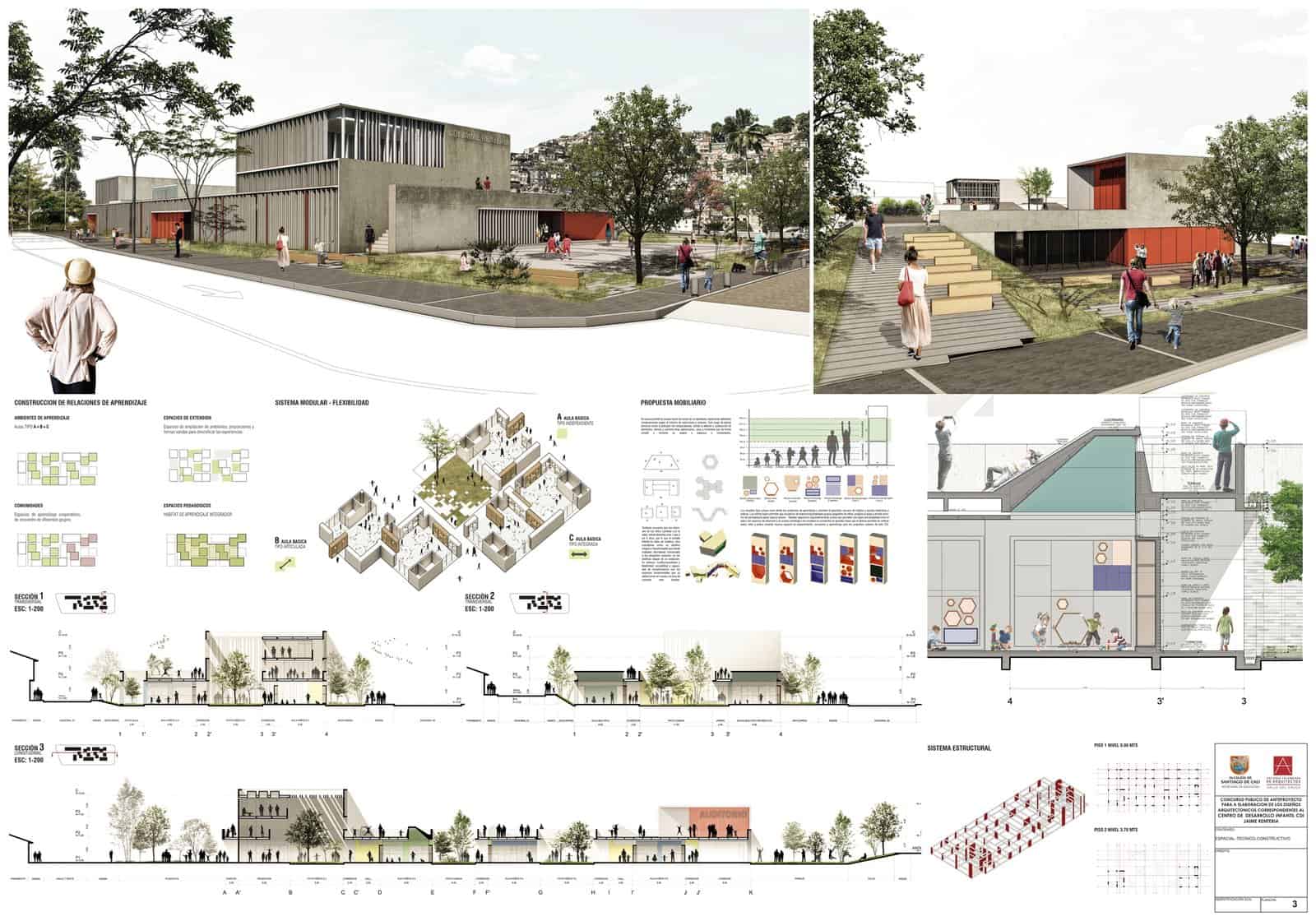
The second-placed team for this Cali child development centre spent most of the board on long sections packed with children, parents, trees and play equipment. Two renders at the top set the street scene, the middle row explains the modular classrooms and furniture, and a detailed section on the right zooms into a single classroom and its play wall.
- What it shows: Scale and daily life: every drawing has people doing something.
- When to use it: Schools, childcare and community buildings where use is the selling point.
- Tip: Populate sections with figures doing specific things, such as climbing, reading or carrying a bag, rather than standing still. A good set of cutout people makes this quick.
8. The Dense Single-Sheet Competition Board
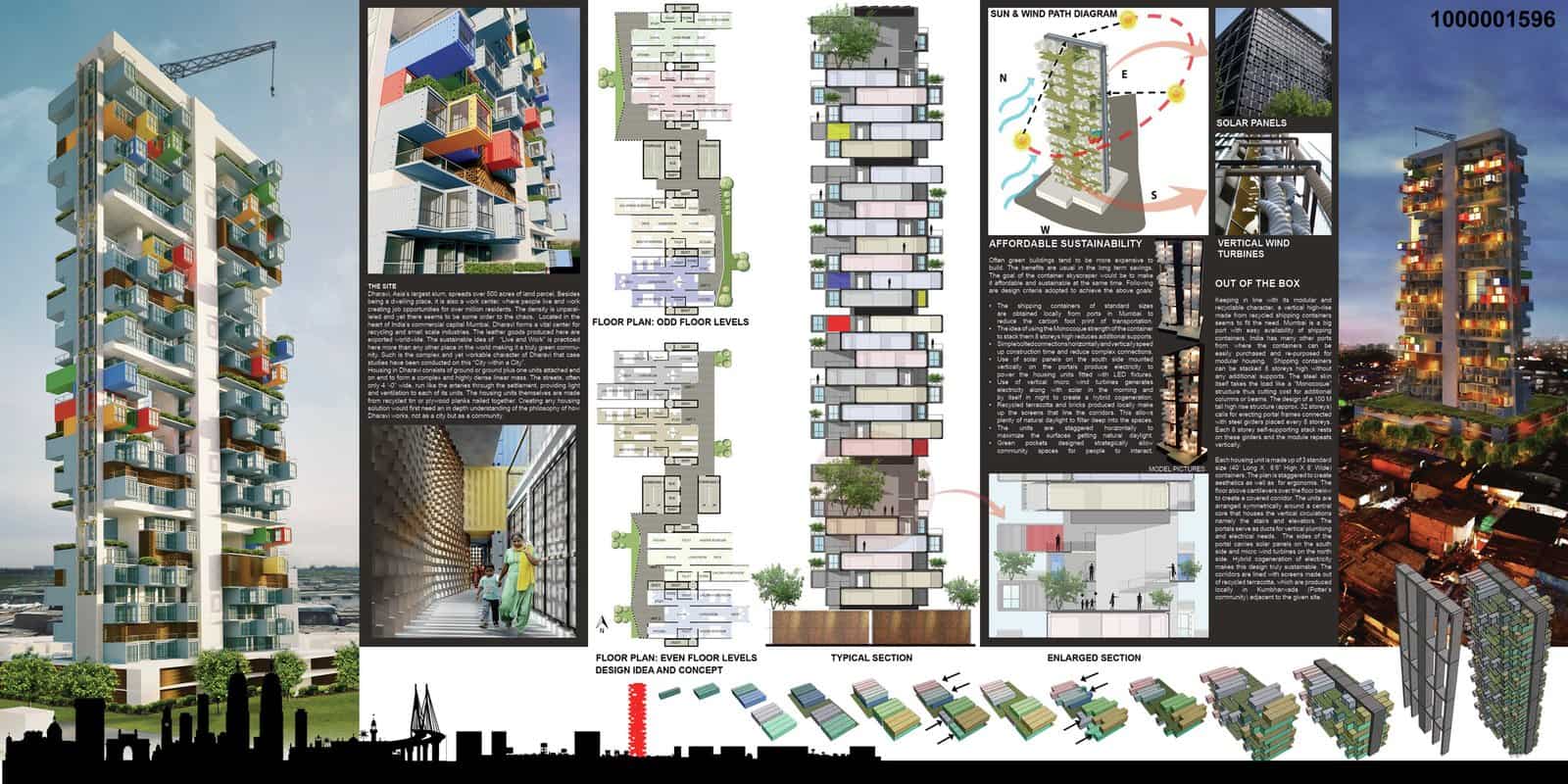
Ideas competitions often allow a single board, so GA Design packed everything for its 100-metre container tower in Mumbai onto one sheet. The tall render anchors the left, plans and sections run through the middle, sun and wind diagrams sit on the right, and a strip along the bottom shows how the containers stack into clusters. A black skyline silhouette frames the base.
- What it shows: That a lot can fit on one board if each drawing has a fixed zone.
- When to use it: Single-board ideas competitions with tight entry rules.
- Tip: Divide the sheet into columns before you place anything, and give each column one job.
9. The Long Landscape Panel with a Photo Strip
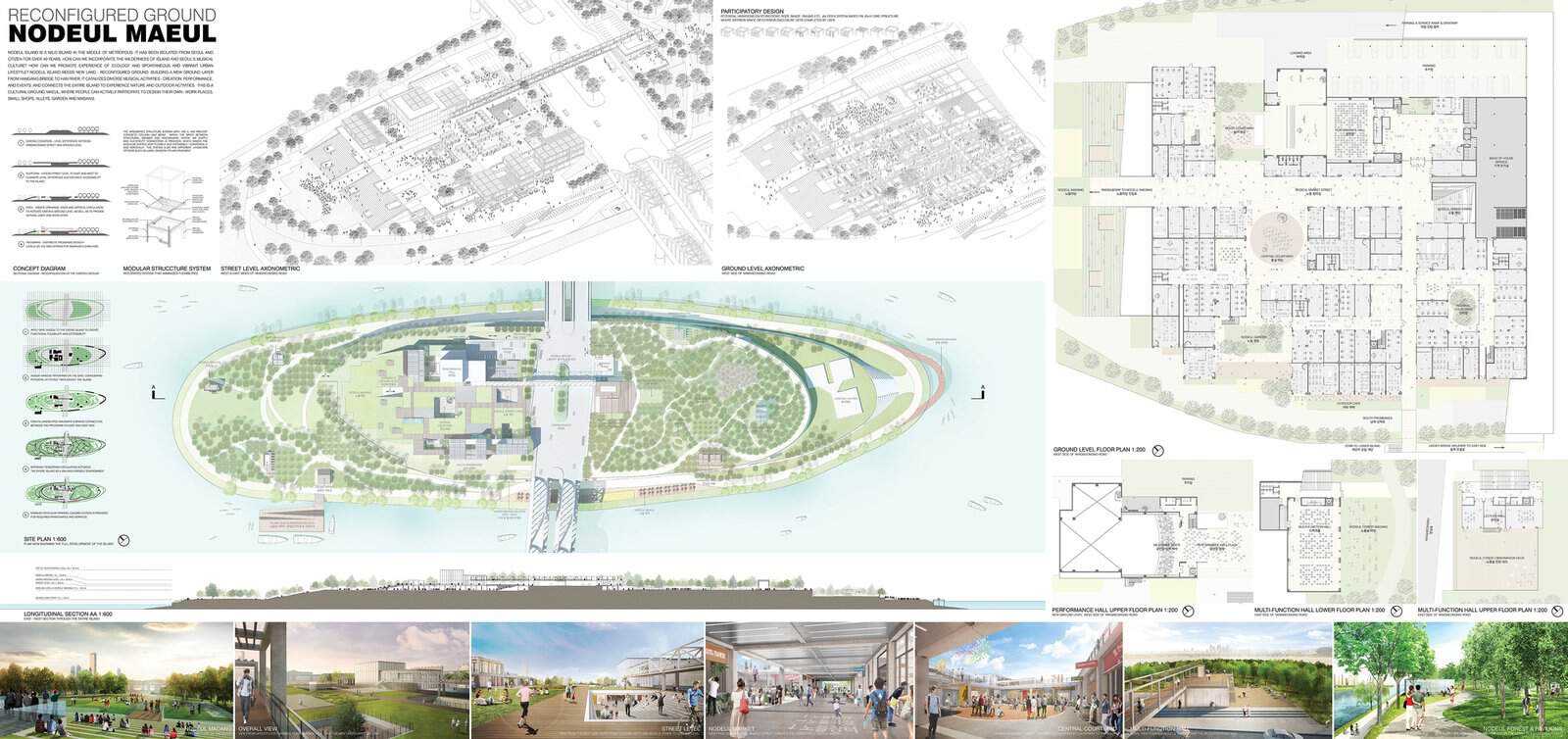
MMK+ and Taehyung Park’s winning scheme for Nodeul Island uses a very wide panel to match the long shape of the island. Line axonometrics run across the top, a coloured site plan floats in the centre, detailed plans fill the right side and a strip of eye-level views along the bottom shows what it would be like to walk across.
- What it shows: A site plan as the centrepiece, with views arranged like a walk along the site.
- When to use it: Linear sites such as islands, waterfronts, parks or long streets.
- Tip: Order the perspective strip in the sequence you would walk it, and key each view to the plan.
10. One Accent Colour to Guide the Eye
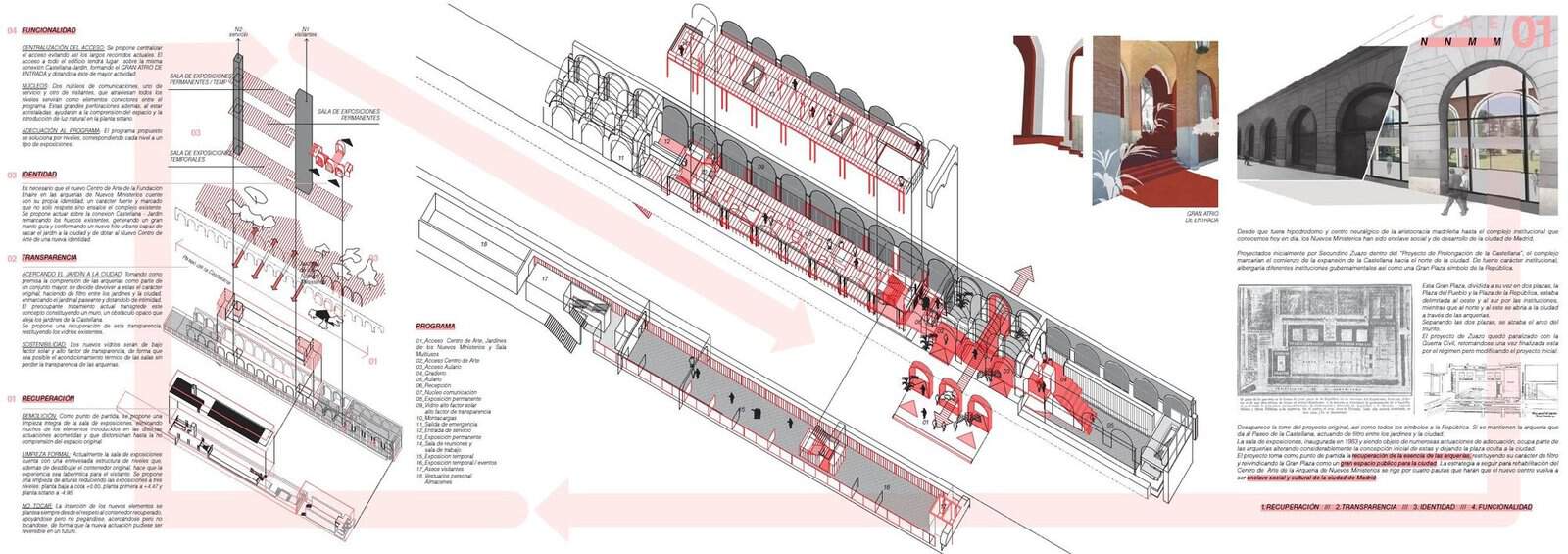
AGi’s second-place board for the arcades of Nuevos Ministerios in Madrid is drawn almost entirely in black line, with every new intervention picked out in red. Faint red bands sweep diagonally across the sheet and link the four principles in the text (recovery, transparency, identity and functionality) to the parts of the long axonometric they refer to.
- What it shows: What is new versus what is existing, which is the key question in any heritage project.
- When to use it: Renovations, adaptive reuse and any project where you need to separate old from new.
- Tip: Choose one accent colour and use it only for the design move you want remembered.
11. Axonometric Column with a Central Plan
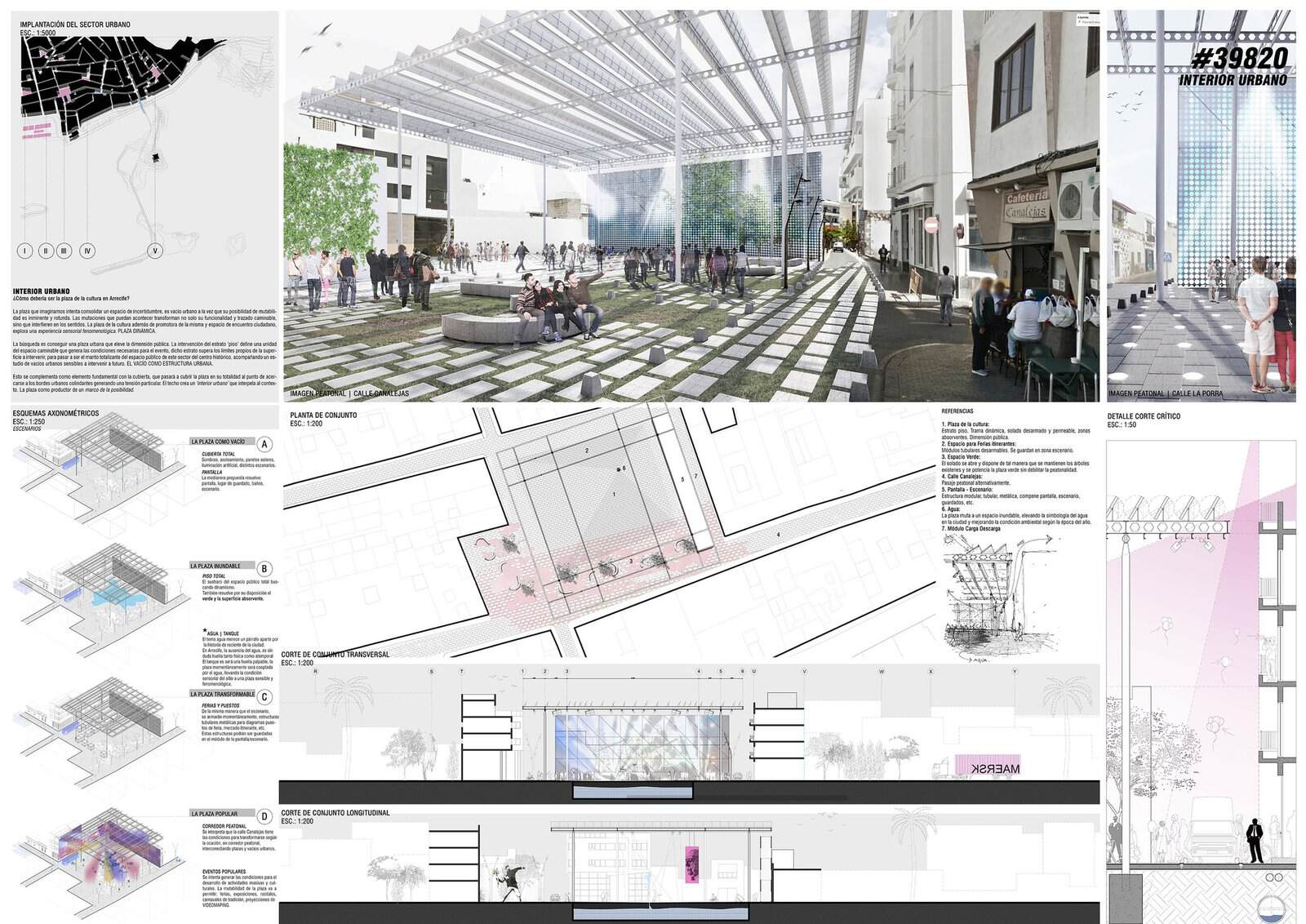
Paralelo Colectivo’s third-placed entry for a plaza in Arrecife puts a wide eye-level render across the top, then runs a column of four small axonometrics down the left showing the same square used as an empty void, a flooded plaza, a market and a festival. A plan, two long sections and a canopy detail fill the rest, all on a white ground with a soft pink accent.
- What it shows: Flexibility: one space, several scenarios, explained with repeated drawings from the same angle.
- When to use it: Public spaces and multi-use rooms where the design is about change over time.
- Tip: Draw every scenario from the same viewpoint and at the same size so the differences jump out. Our axonometric drawing guide covers how to set one up.
12. Map-Led Urban Board
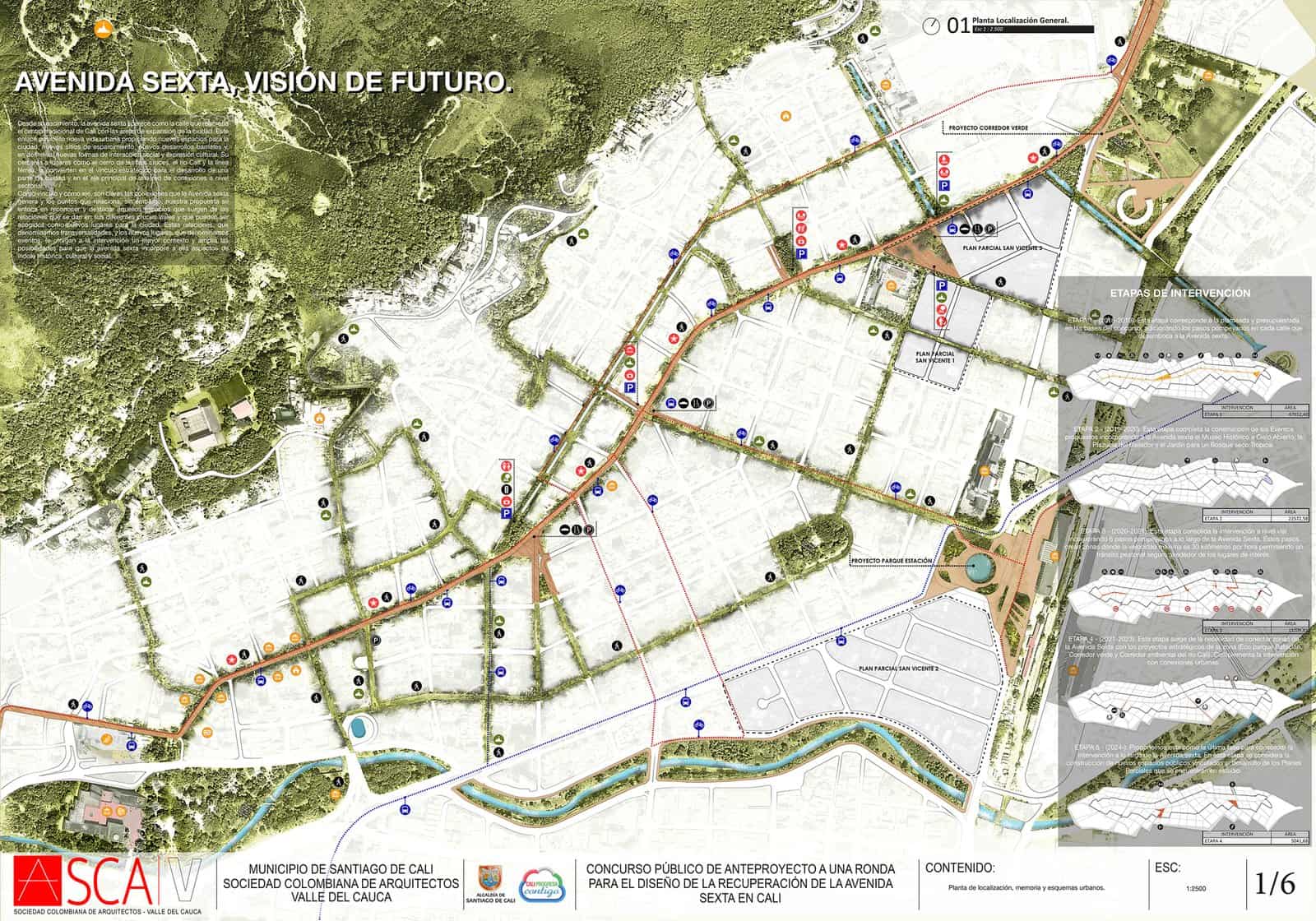
For a two-kilometre stretch of Avenida Sexta in Cali, EMS Arquitectura and Pantoja Arquitectos opened their winning set with a map. The avenue is drawn as a bold orange line across a muted city base, green corridors and icons mark parks and services, and a column on the right breaks the work into phases. A standard title block runs along the bottom, as the competition required.
- What it shows: Strategy before detail: the reader understands the scale of the project before seeing any street design.
- When to use it: Urban design, masterplans and landscape studios.
- Tip: Mute the base map to greys so your proposal is the only thing in full colour.
13. Text-Led Portrait Board
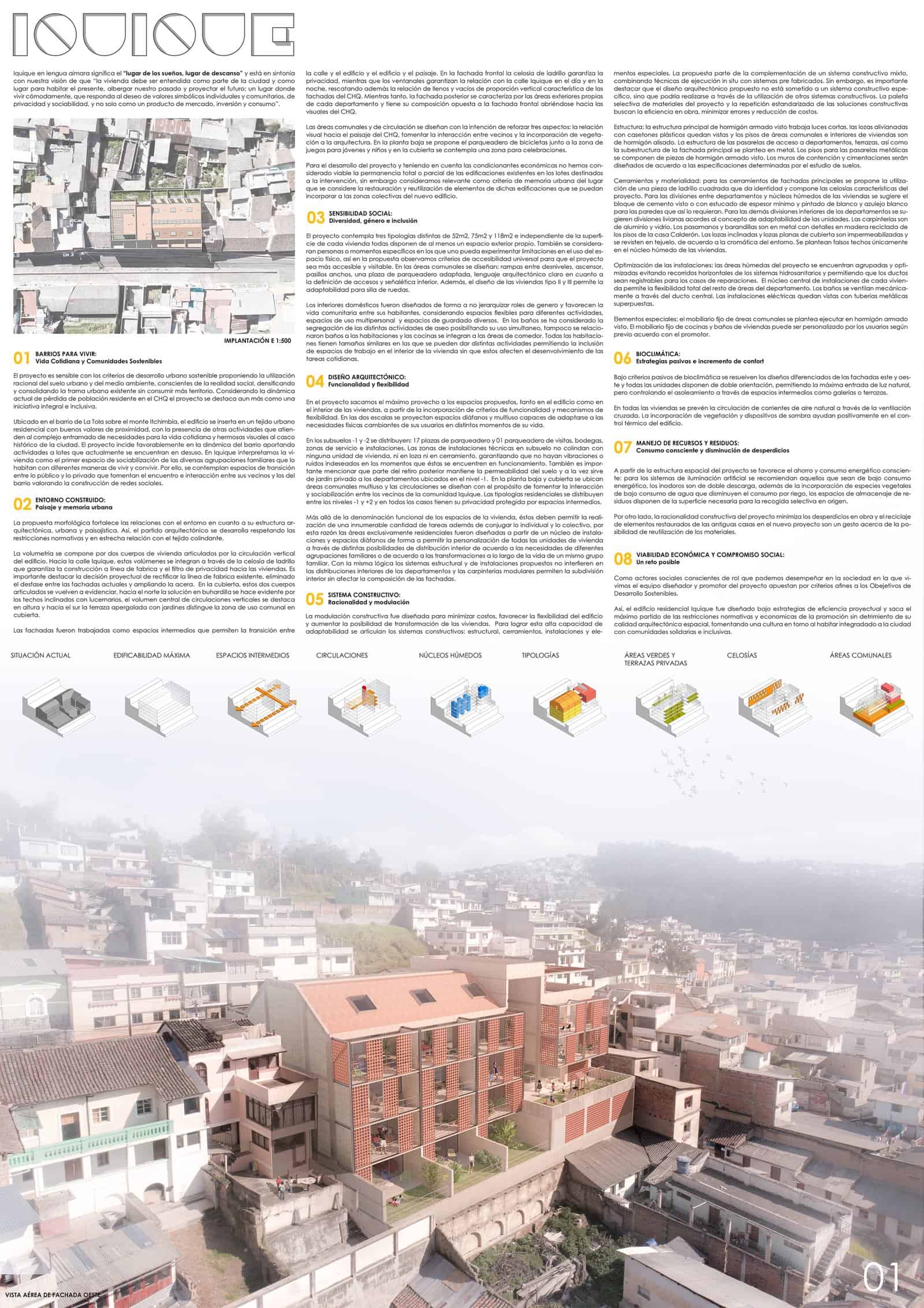
Jaramillo van Sluys’ winning housing scheme in historic Quito is one of the few boards here where text leads. Eight numbered sections of writing fill the top half, a row of small axonometrics with yellow highlights explains the strategy, and a misty aerial photomontage shows the brick building settling into the hillside houses below.
- What it shows: A clear argument for juries that read, backed by diagrams and one strong context image.
- When to use it: Social housing, research-led studios and competitions that ask for written explanation.
- Tip: Number your text blocks and keep each one short. Jurors will skim the headings first.
14. Dark Background Diagram Poster
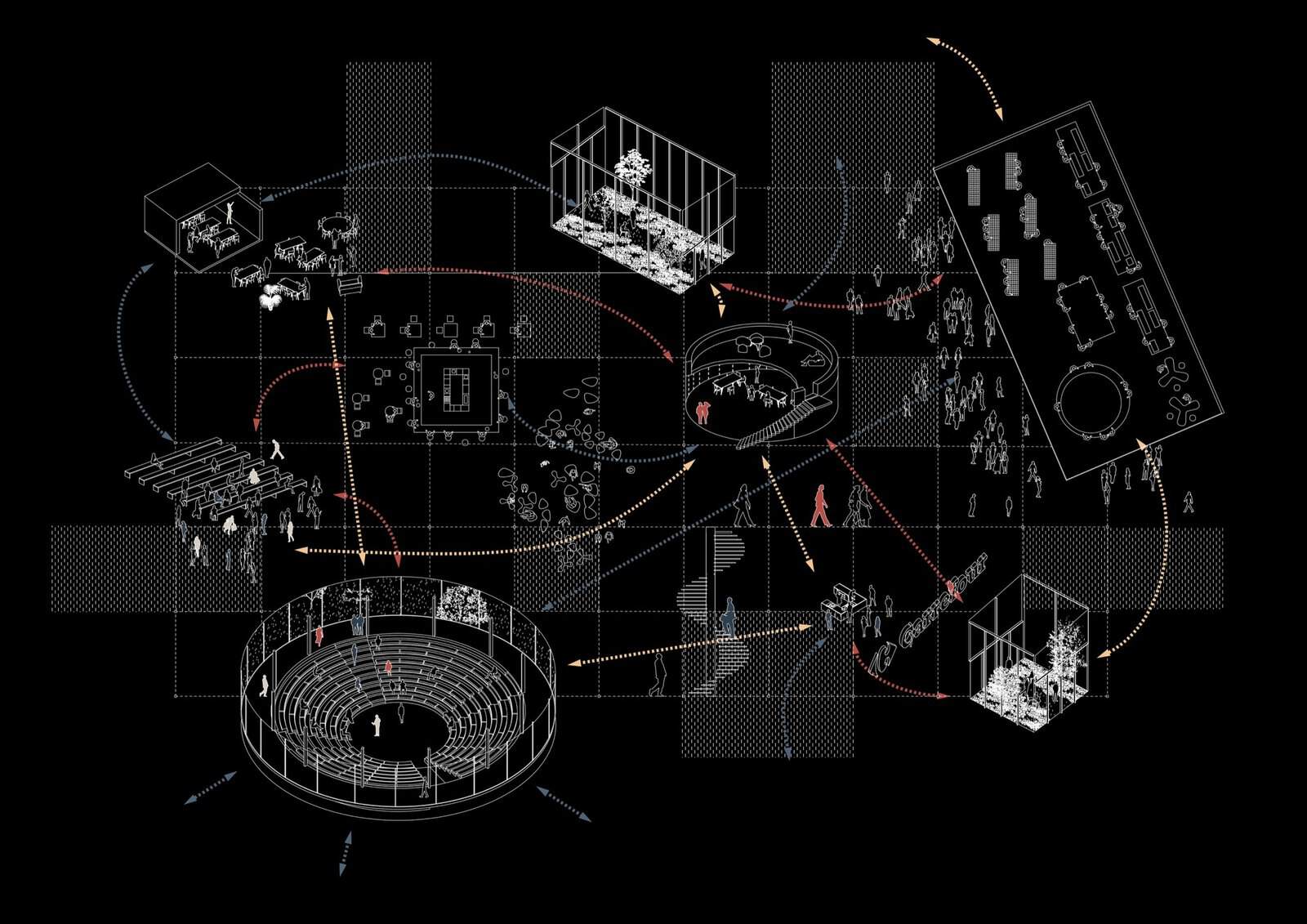
Clément Blanchet’s A0 sheet for the Carrefour research centre in Saclay is a single diagram on black. White line axonometrics of labs, classrooms, a greenhouse and an amphitheatre float on a dotted grid, linked by curved arrows in three colours that show how people move and meet. It reads more like a poster than a technical board, which is the point.
- What it shows: How the program works, not what it looks like.
- When to use it: A concept board, a portfolio divider or a project where relationships matter more than form.
- Tip: Use white or very pale line work on black, and keep the colour for movement only.
15. The Technical Sheet with a Title Block
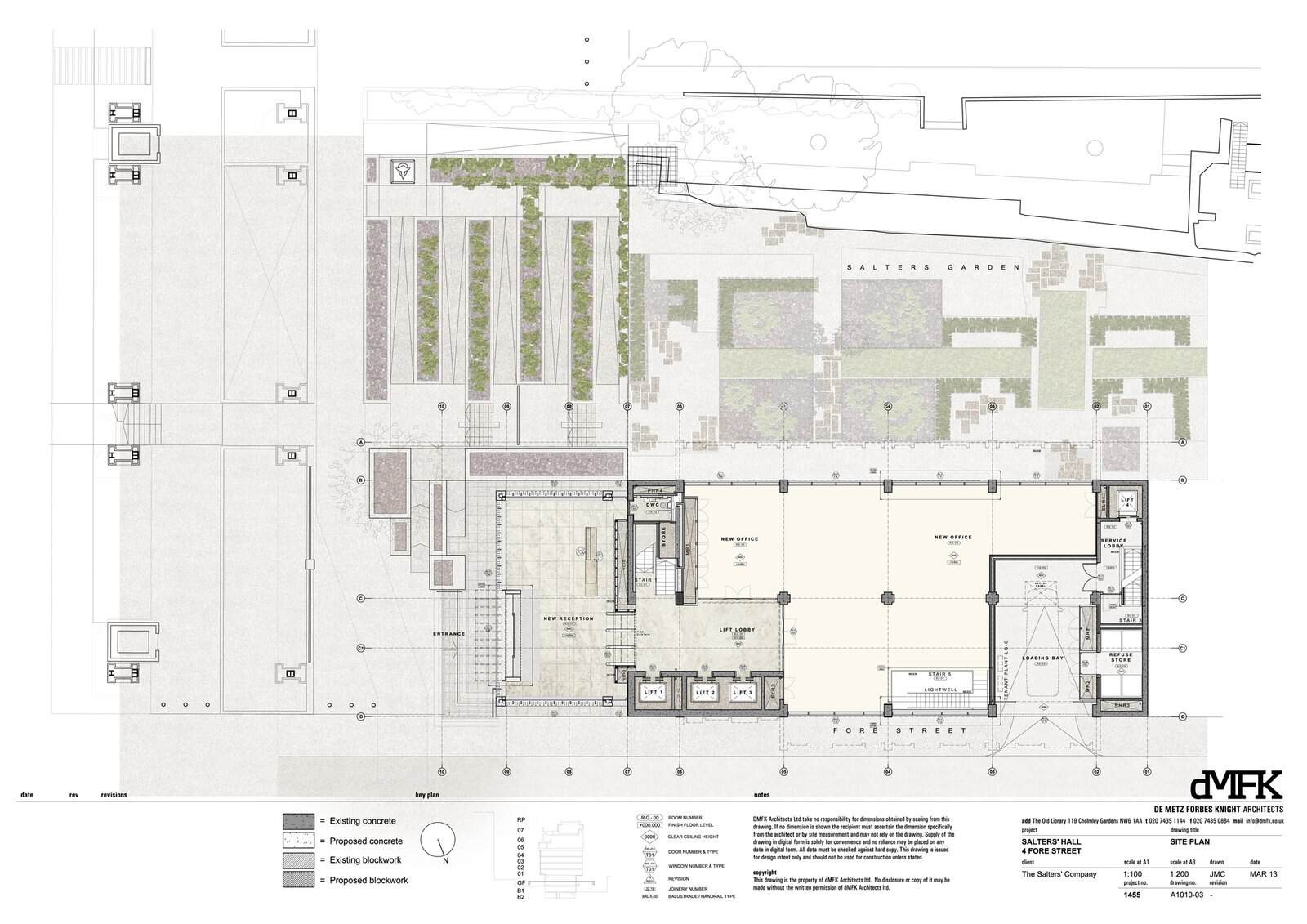
Not every board is for a competition. This site plan from dMFK’s renovation of Basil Spence’s Salters’ Hall in the City of London is a working drawing presented with care: soft fills separate existing and proposed work, planting beds are given a soft texture, and a proper legend, key plan and title block run along the bottom.
- What it shows: A professional standard of annotation and information hierarchy.
- When to use it: Technical studios, construction documentation units and portfolio pages that need to show you can draw a real set.
- Tip: Borrow the title block habit for student boards: project, drawing, scale and north in the same spot every time.
Tips for a Better Architecture Presentation Board
- Decide the reading order first. Pick the one image that should be seen from three metres away, then the two or three that explain it, then the detail. Arrange the board in that order, usually top left to bottom right.
- Use a grid. A simple column grid, such as 6 or 12 columns with fixed margins, keeps drawings aligned and makes a set of boards look designed rather than assembled.
- Limit fonts and colours. One typeface in two weights and a palette of two or three colours is plenty. Most of the boards above use a single accent colour.
- Keep scale honest. Label scales, add a scale bar and north point, and use people and trees so drawings read correctly. Our cutouts guide explains how to place figures convincingly.
- Make the drawings talk to each other. Align sections with plans, key views to the site plan and keep elevations at the same scale where you can.
- Test it at real size. Print a small proof or zoom your PDF to 100% to check text size. Body text below about 14 to 16 pt on an A1 board is hard to read when pinned up.
- Be consistent with materials. If your render shows timber and brick, show the same tones in your plans and diagrams. Our architectural textures guide can help you keep surfaces consistent.
Architecture Presentation Board FAQs
What size is an architecture presentation board?
The most common sizes are A1 (594 x 841 mm) and A0 (841 x 1189 mm), in portrait or landscape. Competitions usually set the size and number of boards in the brief, so check it before you start. Many university reviews use A1 or A0 too.
What should be included on an architecture presentation board?
Most boards include a title, a short concept statement, a site or location plan, key plans, at least one section, a hero image and supporting diagrams. Add a scale bar, north point and labels. Leave out anything that does not help explain the idea.
What software is used to make presentation boards?
Adobe InDesign is the standard for layout because it handles grids, text and linked images well. Illustrator and Photoshop are used for diagrams and image editing, and free tools such as Affinity Publisher or Canva can work for simpler boards.
How many boards should a project have?
Follow the brief if there is one. Without one, a single board suits a concept or ideas competition, while three to six boards is typical for a final student review or a full competition entry.
Conclusion
A strong architecture presentation board is mostly about order: one clear lead image, drawings that line up and explain each other, and enough white space to let the idea breathe. Borrow a layout from the examples above, build it on a grid and fill your drawings with life. Our free architectural cutouts and free textures are there when you need people, trees and materials to finish the job. For more inspiration on real buildings, browse projects such as Bosco Verticale, Huashan Middle School, EAN University in Bogotá, Little Island and the Royal Opera House Open Up renovation.
Recent Posts
Architecture Presentation Board Layouts: 15 Examples and Tips
Architectural Rendering Styles: 15 Examples and How to Make Them
How to Use Textures in Architectural Renders: Where to Find Them and How to Apply Them