Architectural rendering styles range from glossy photoreal images that look like a finished photograph to loose watercolours, flat graphic perspectives and collages. The style you choose changes what a viewer notices. A photoreal render sells materials and light, a hand sketch invites conversation, and a monochrome image puts the focus on form.
Most renders also need people, trees and life to feel believable, and our free architectural cutouts are made for exactly that. Below are 15 architectural rendering styles, each with a real example from a practice or competition entry, plus notes on what it is, when to use it and how to make your own. For materials, our guide to architectural textures covers the maps that make a render convincing, and the cutouts guide explains how to place figures so the scale reads correctly.
1. The Photoreal Daylight Render
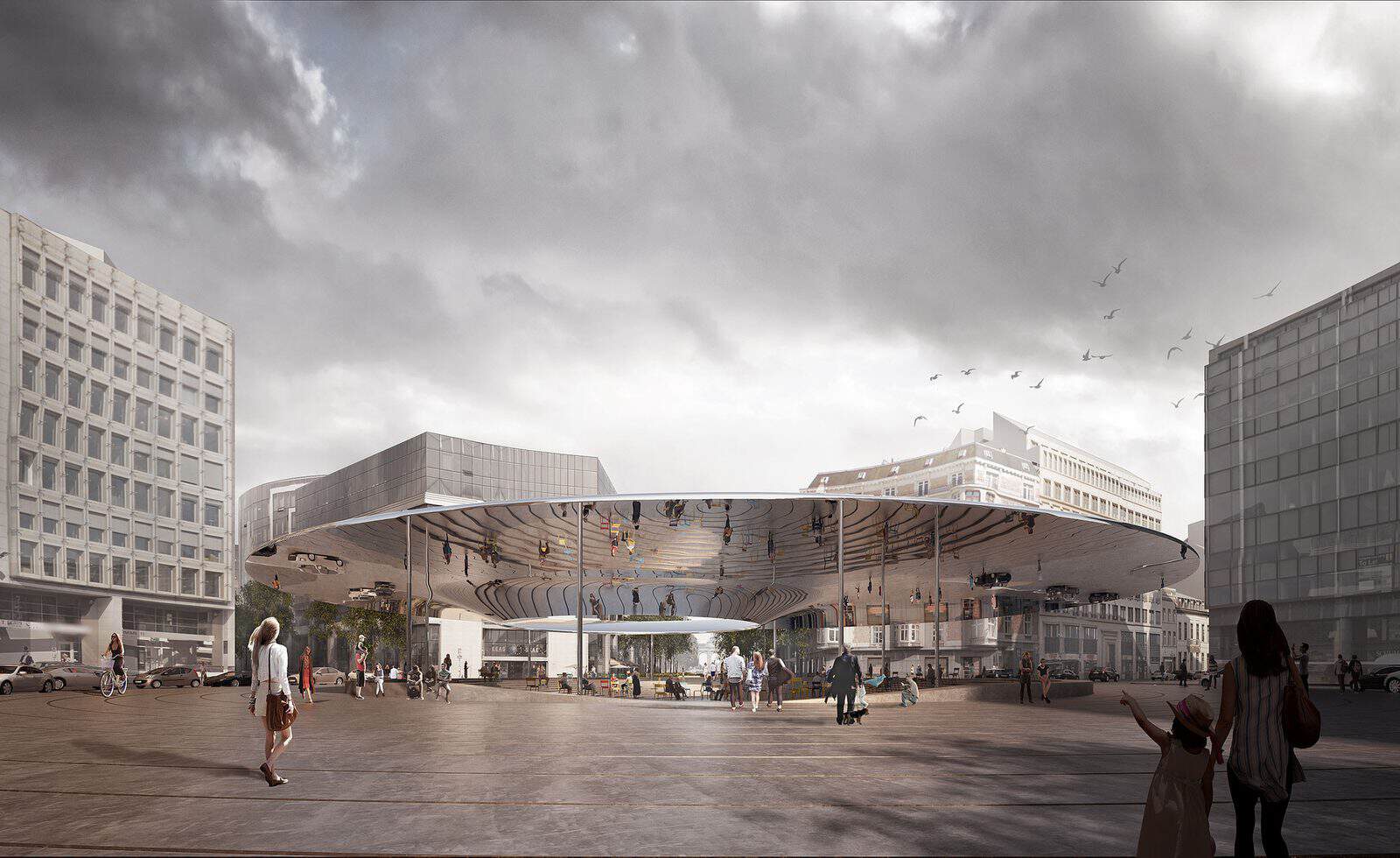
COBE and BRUT’s winning design for Place Schuman, the roundabout at the heart of the European Quarter in Brussels, was shown in a render that could pass for a photo taken on an ordinary overcast afternoon. The soft grey sky, wet-looking paving and everyday figures make the new square feel like a place that already exists.
- What it shows: Exactly how a project will look in real light, with accurate materials, reflections and context.
- When to use it: Competition finals, client sign-off, planning applications and marketing, where people need to believe the image.
- Tip: An overcast HDRI in V-Ray, Corona or D5 Render is more forgiving than harsh sun. Add slight camera imperfections such as lens distortion and a little noise, then grade in Photoshop.
2. The Atmospheric Mood Render
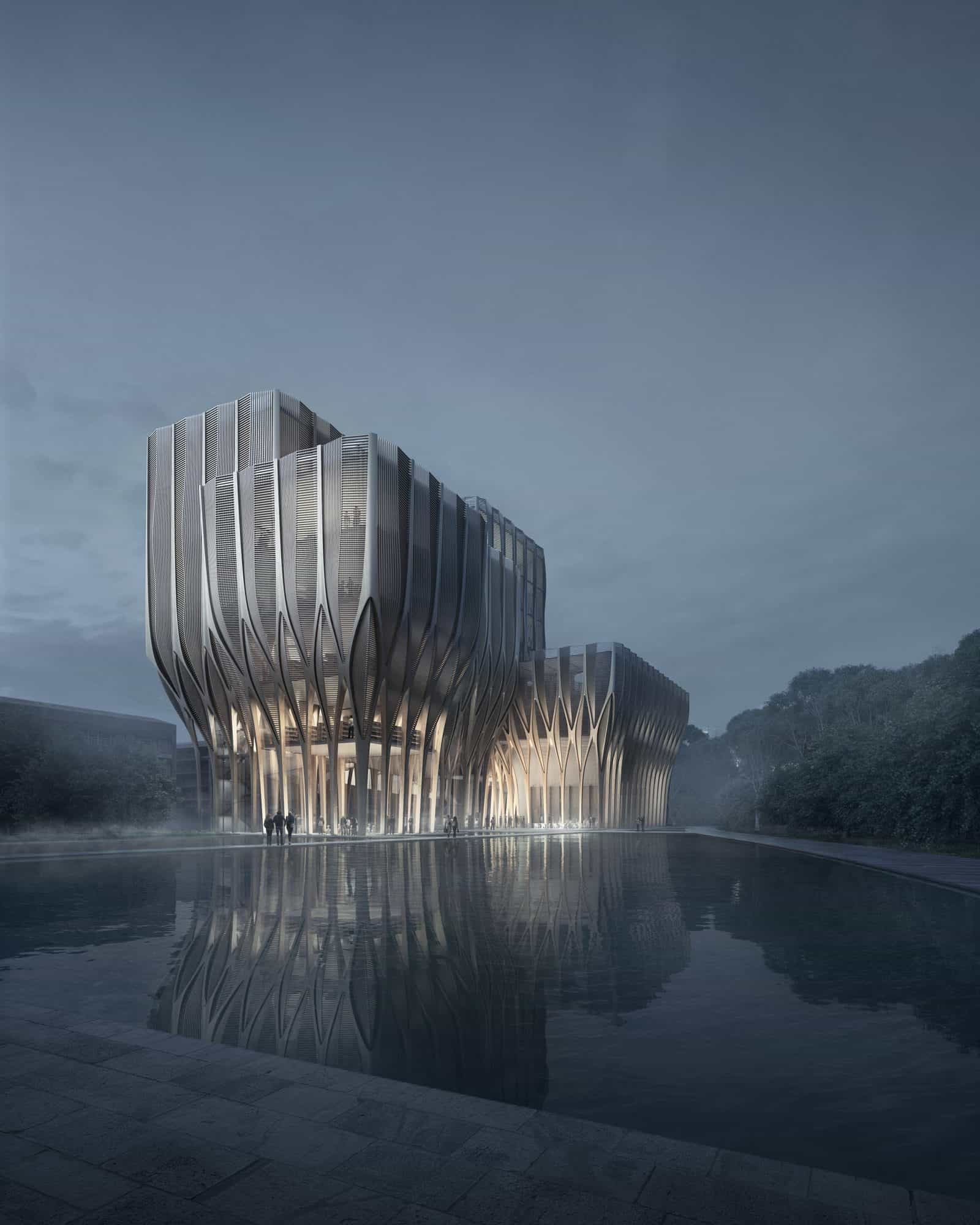
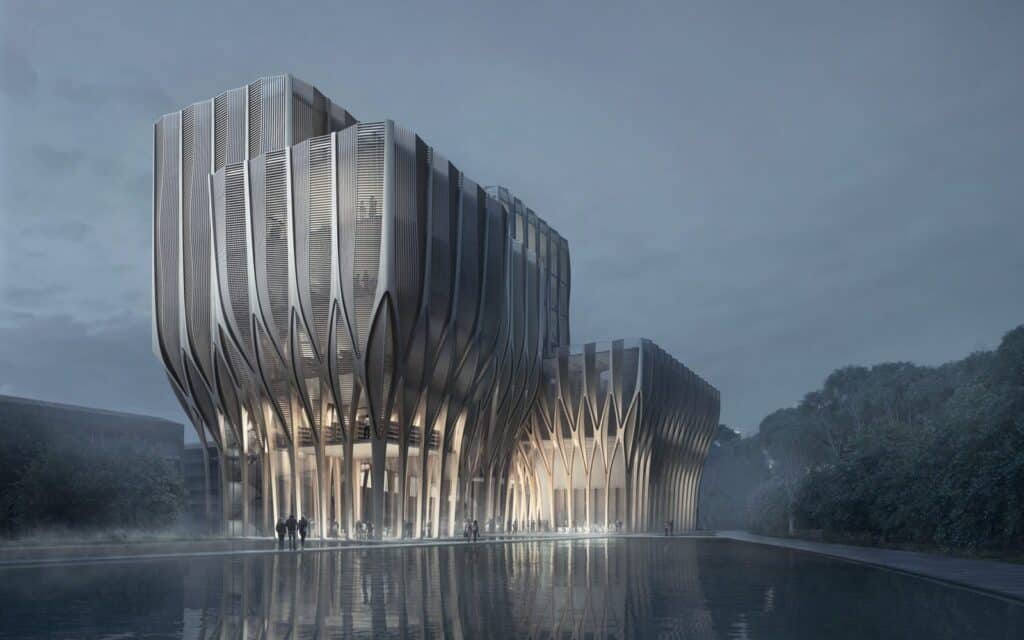
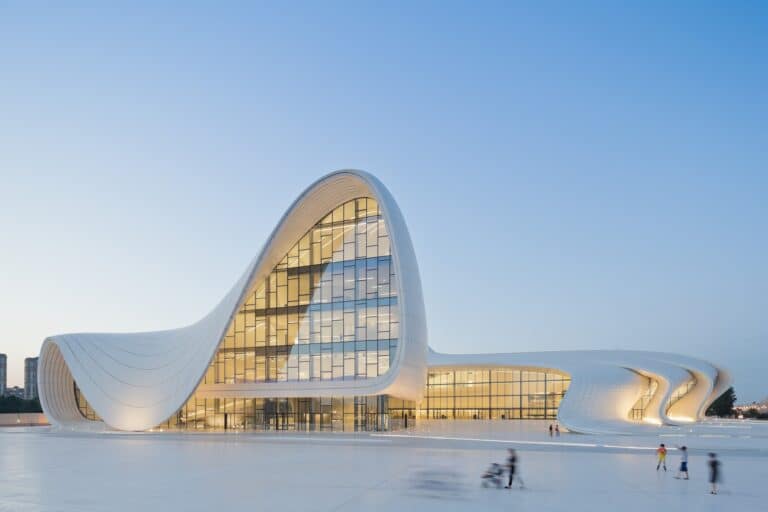
Zaha Hadid Architects’ design for the Sleuk Rith Institute, a genocide documentation centre in Phnom Penh, was presented as a quiet, misty scene. The five timber towers rise from a still pool under a cool blue sky. Nothing is busy or bright, which suits a building about memory. The practice’s built work, such as the Heydar Aliyev Center in Baku, shows how its forms translate from render to reality.
- What it shows: A feeling first: calm, drama, mystery or weight, with the architecture set inside it.
- When to use it: Cover images, competition hero shots and memorial or cultural projects where emotion matters.
- Tip: Use volumetric fog in V-Ray, Enscape or Lumion, keep the palette to two or three related colours, and hide detail in shadow. Strong reflections in water double the impact.
3. The Dusk or Blue Hour Render

FOUR Frankfurt is a four-tower scheme by UNStudio with HPP in the city’s banking district, with the tallest tower reaching 228 metres. This street-level view is set just after sunset, when the sky still holds some light but the windows are already glowing. Light trails from traffic and a few walking figures give it movement.
- What it shows: Warm interior light against a cool sky, so the building looks alive and inviting.
- When to use it: Mixed-use, retail, hospitality and residential towers, or any project where activity at street level is a selling point.
- Tip: Set your sun just below the horizon, raise interior light intensity so it reads at the same brightness as the sky, and add motion blur or light trails in Photoshop.
4. The Night Render
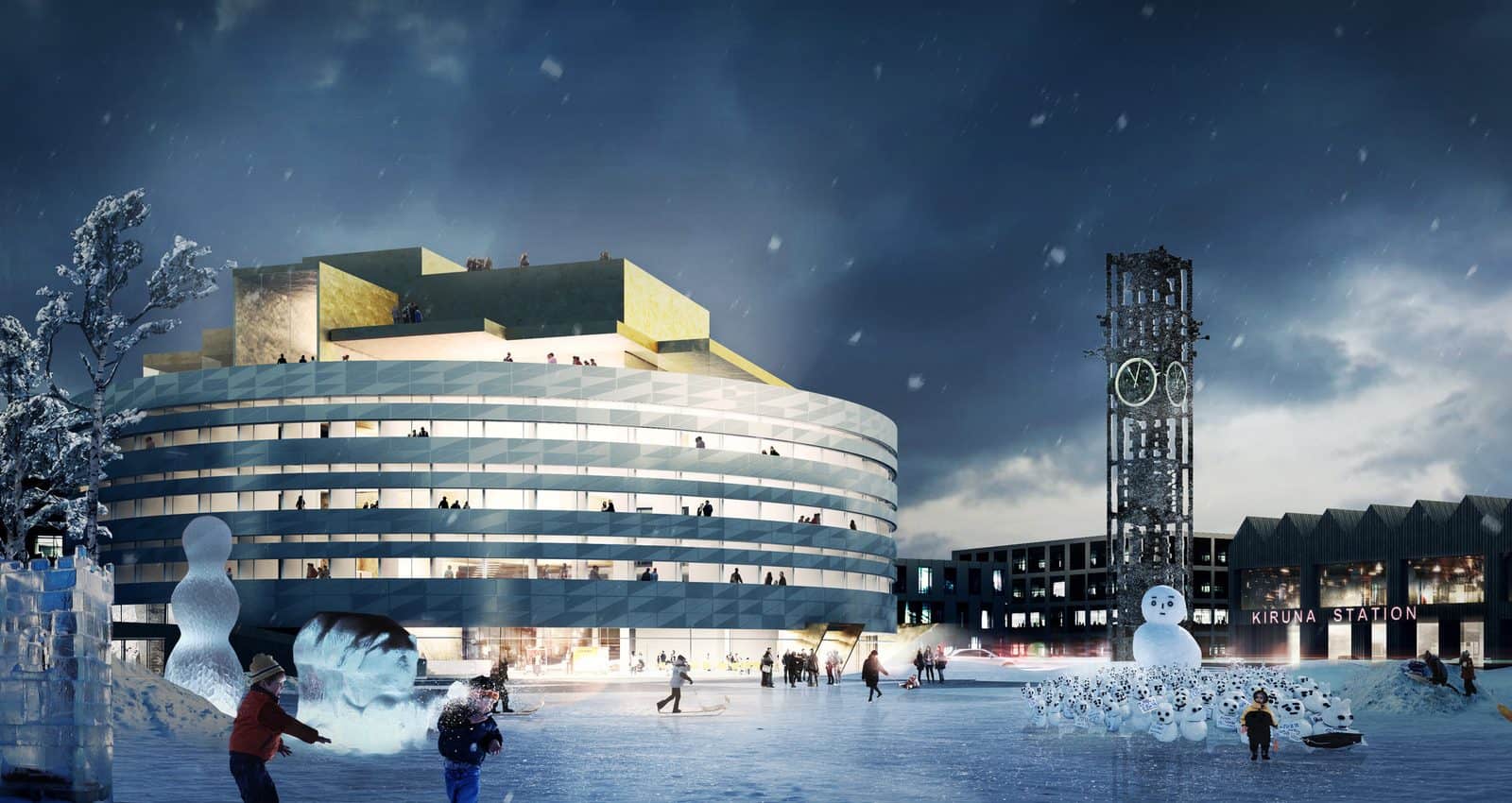
Henning Larsen won the competition for the new City Hall in Kiruna, the Swedish mining town that is being moved because the ground beneath it is subsiding. The building, known as Krystallen, opened in 2018. The competition render shows it at night in deep winter, glowing like a lantern above a snowy square, with ice sculptures and people bundled up in coats.
- What it shows: The building as a light source, with its glazing, lighting design and public life after dark.
- When to use it: Civic buildings, theatres, bars and anything in a northern climate where much of the year is spent in darkness.
- Tip: Treat interior lights as the main light source and keep the moon or sky dim. In Twinmotion or Lumion, add emissive materials to windows and a light haze to soften the glow.
5. The Aerial Masterplan Render
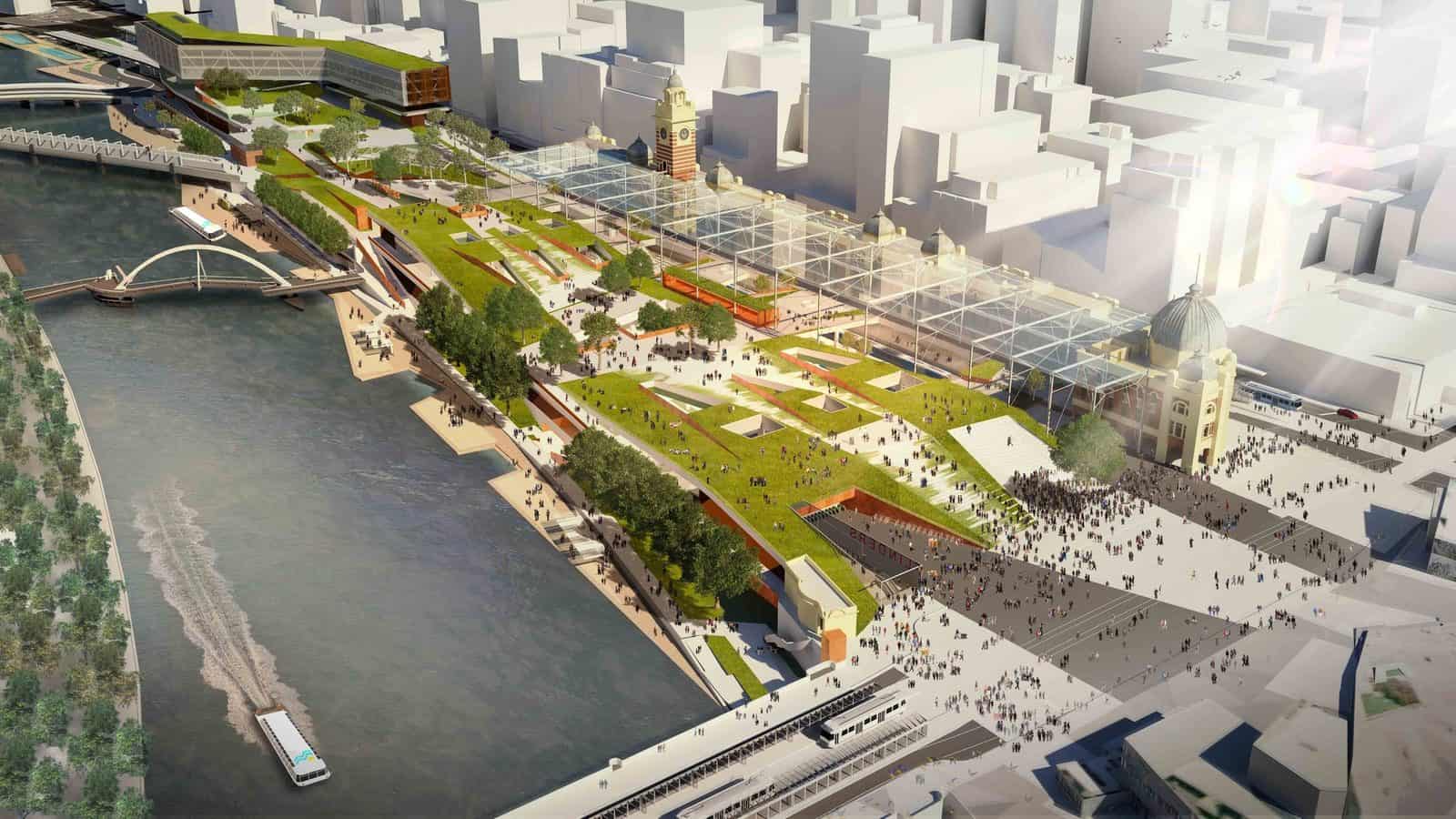
In the 2013 Flinders Street Station design competition, this entry by Eduardo Velasquez, Manuel Pineda and Santiago Medina won the People’s Choice Award. Its bird’s-eye render stretches a landscaped roof along the Yarra, with the city shown in simple white blocks so the new park and its connections stand out.
- What it shows: How a large project fits into its city, river, streets and landscape.
- When to use it: Masterplans, campuses, parks and infrastructure projects that are too big to understand from the ground.
- Tip: Keep the context as plain white or grey massing and save colour and detail for your proposal. A real aerial photo or a Google Earth capture works well as a base.
6. The Photomontage
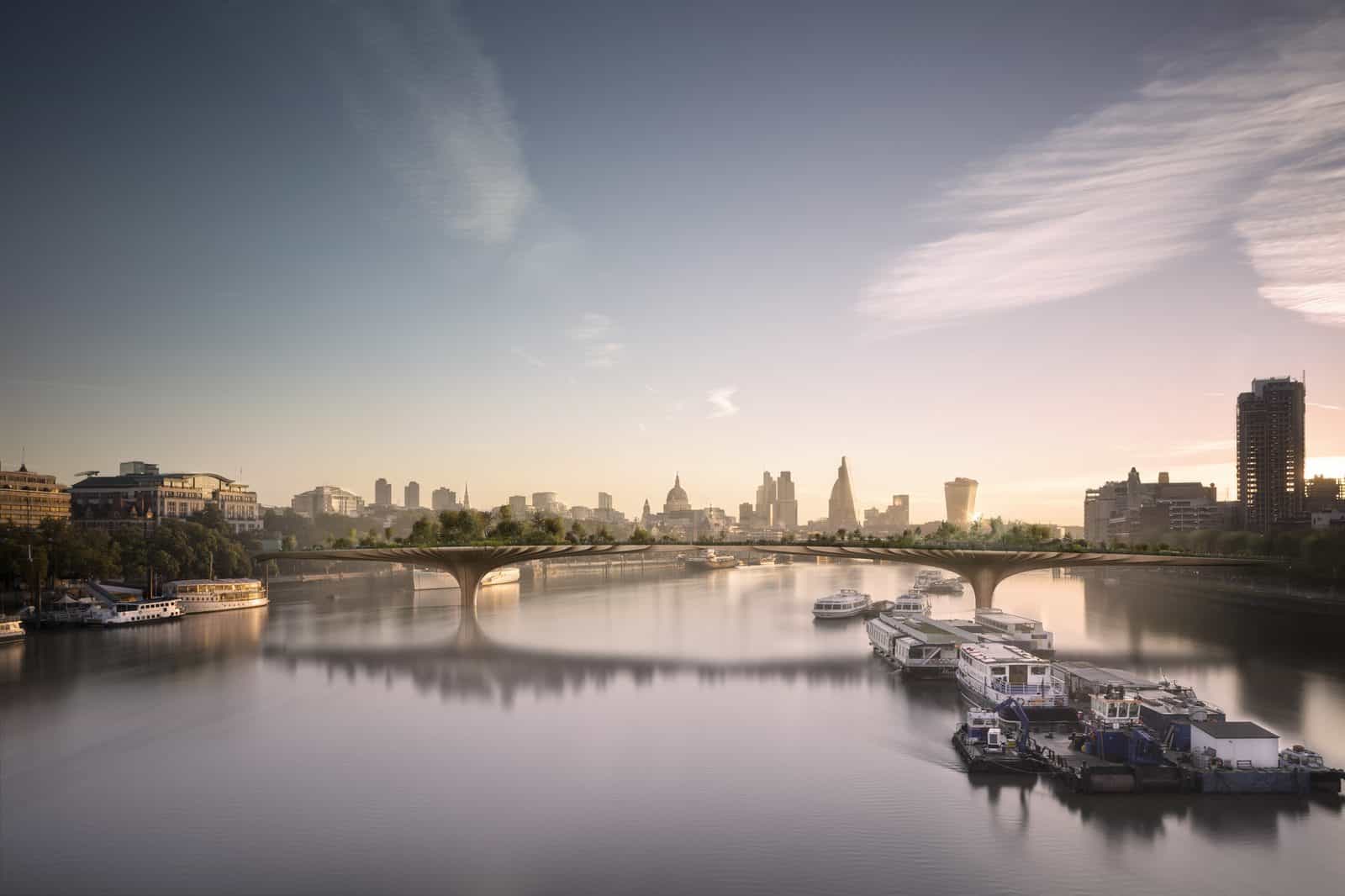
The Garden Bridge was a proposed 367 metre planted crossing over the Thames from Temple to the South Bank. It was cancelled in 2017, but its images remain a good lesson in photomontage. The bridge is set into a real photograph of the river at sunset, so the viewer judges it against a skyline they already know. Heatherwick’s built work, such as Coal Drops Yard a short distance north in King’s Cross, shows the same interest in reshaping public space.
- What it shows: A new building in a real photograph, so its scale and impact on a known view are clear.
- When to use it: Planning applications, heritage settings and verified views, where you have to show the actual site.
- Tip: Match the camera position, lens and sun angle to your photo before you render. Most tools, including V-Ray and D5, let you load the photo as a background to line things up.
7. The Interior Render

Elizabeth de Portzamparc’s design for Le Bourget station on the Grand Paris Express is shown from inside: a tall hall with timber fins, a skylight, planting and passengers sitting and walking. The warm palette and natural light make a transport building feel more like a lounge.
- What it shows: Materials, light and use from the point of view of the people inside.
- When to use it: Any project where the interior experience matters: stations, libraries, homes, offices and hospitality.
- Tip: Shoot at eye height (about 1.6 metres) with a wide but not extreme lens, roughly 24 to 28 mm. Enscape and D5 are quick for interiors because you can move the camera in real time.
8. The Section Perspective Render
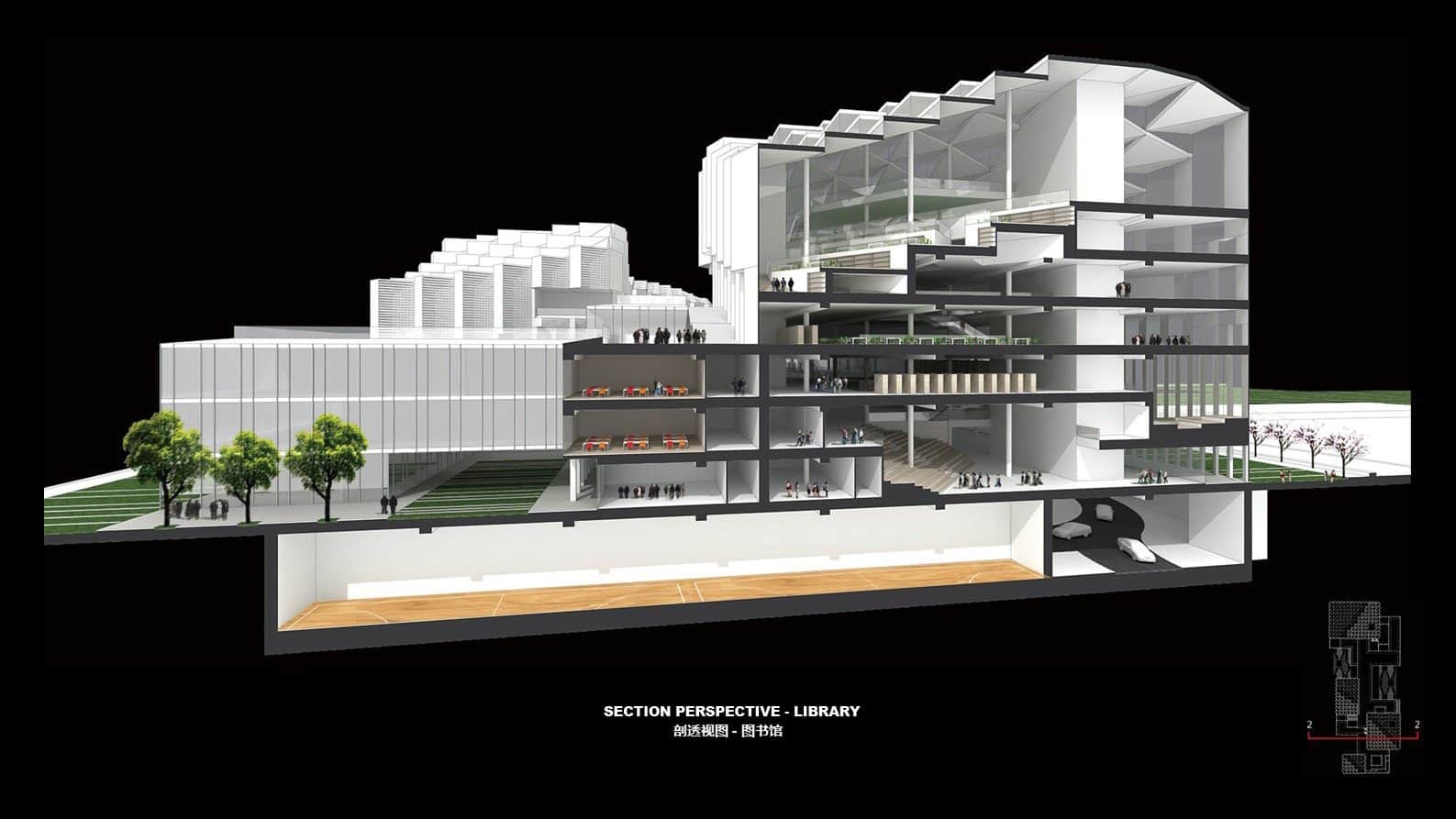
Pei Partnership Architects, working with Guangzhou HSArchitects, won the competition for the Nanhai Cultural Center in Foshan. One of their images cuts straight through the library, showing reading floors, stacks and the basement in rendered perspective against a black background. You see the outside of the building and its inner workings in the same frame.
- What it shows: Inside and outside at once: how floors, voids and structure relate to each other.
- When to use it: Libraries, museums, multi-level houses and any building with an interesting section. It pairs well with the drawings in our guide to section drawing styles.
- Tip: Use a section box or clipping plane in Revit, SketchUp or Enscape, render the cut face as solid black or white, and add figures inside every level.
9. The Axonometric Render
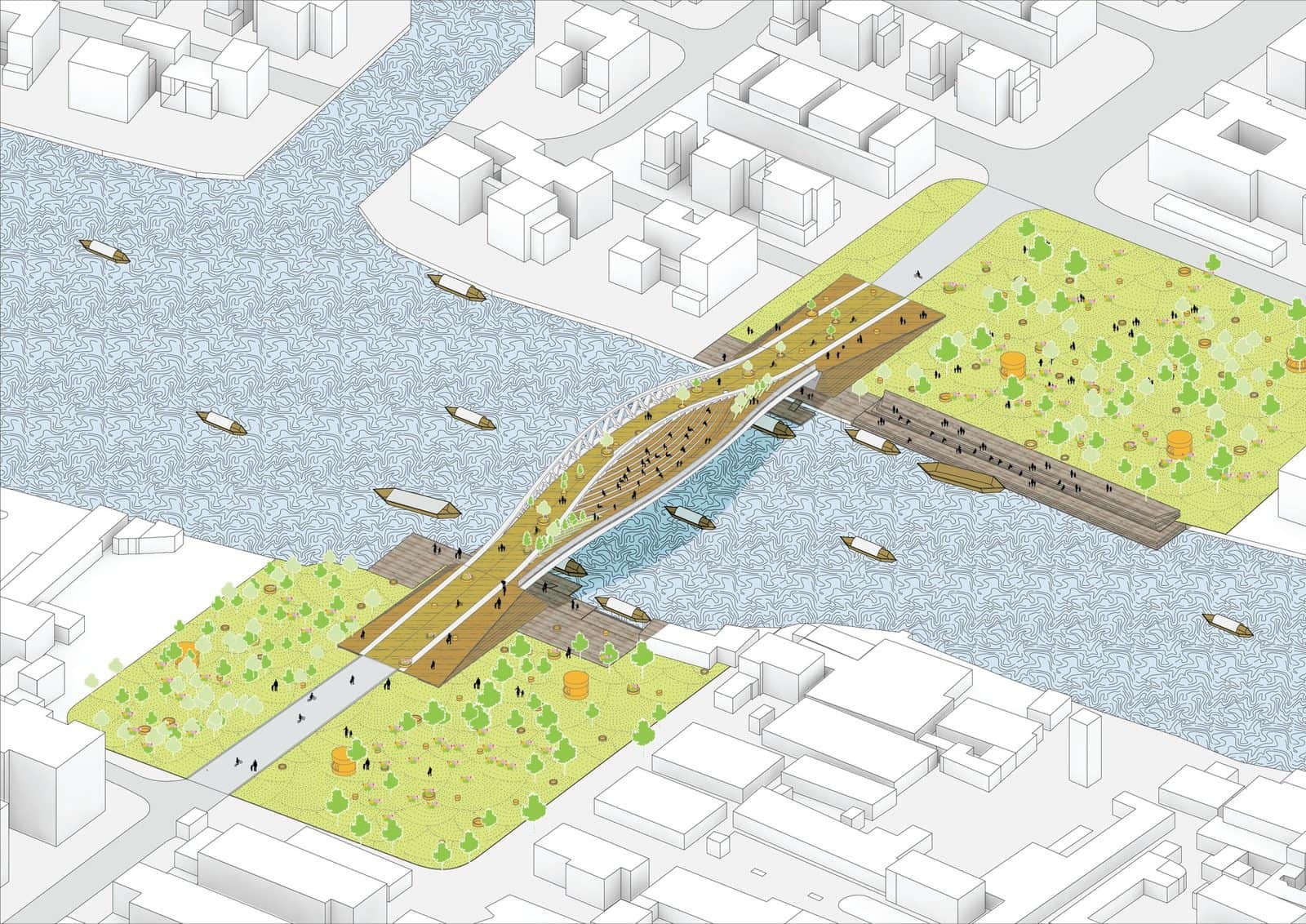
MVRDV’s design for the Dawn Bridge in Zhujiajiao, Shanghai, is an 80 metre long, 24 metre wide crossing that doubles as a public space. Instead of a perspective, the practice rendered it as a bright axonometric with white surrounding buildings, a soft blue river and grassy parks on each bank, so the whole idea reads at once.
- What it shows: A project and its context without perspective distortion, so it reads like a model on a table.
- When to use it: Small public projects, pavilions and urban interventions, and as a friendly overview in a set of more technical drawings.
- Tip: Use a parallel (orthographic) camera in your render engine and turn off depth of field. Our guide to axonometric drawing styles has more ideas for framing.
10. The Monochrome Render
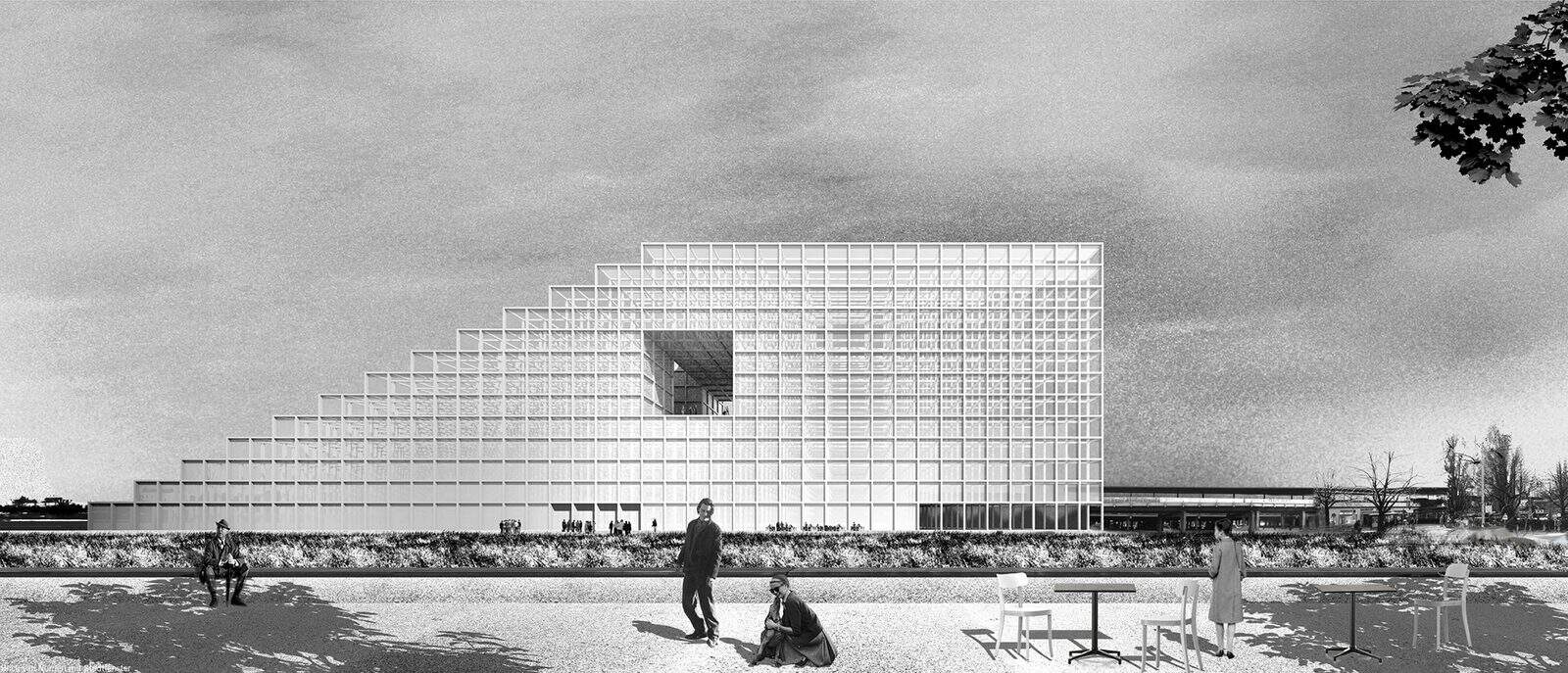
FAR frohn&rojas’ winning 2013 proposal for the New Central Library of Berlin was shown in black and white. With colour removed, the eye goes straight to the stepped, gridded volume, its single opening and the flat field in front of it.
- What it shows: Pure form, proportion and light, without the distraction of colour or materials.
- When to use it: Concept stages, competitions that ask for a strong idea, and series of images where you want a calm, unified look.
- Tip: Render in colour, then convert in Photoshop with a black and white adjustment layer so you can control how each material reads. Add grain to stop it looking too digital.
11. The Soft, Hazy Render
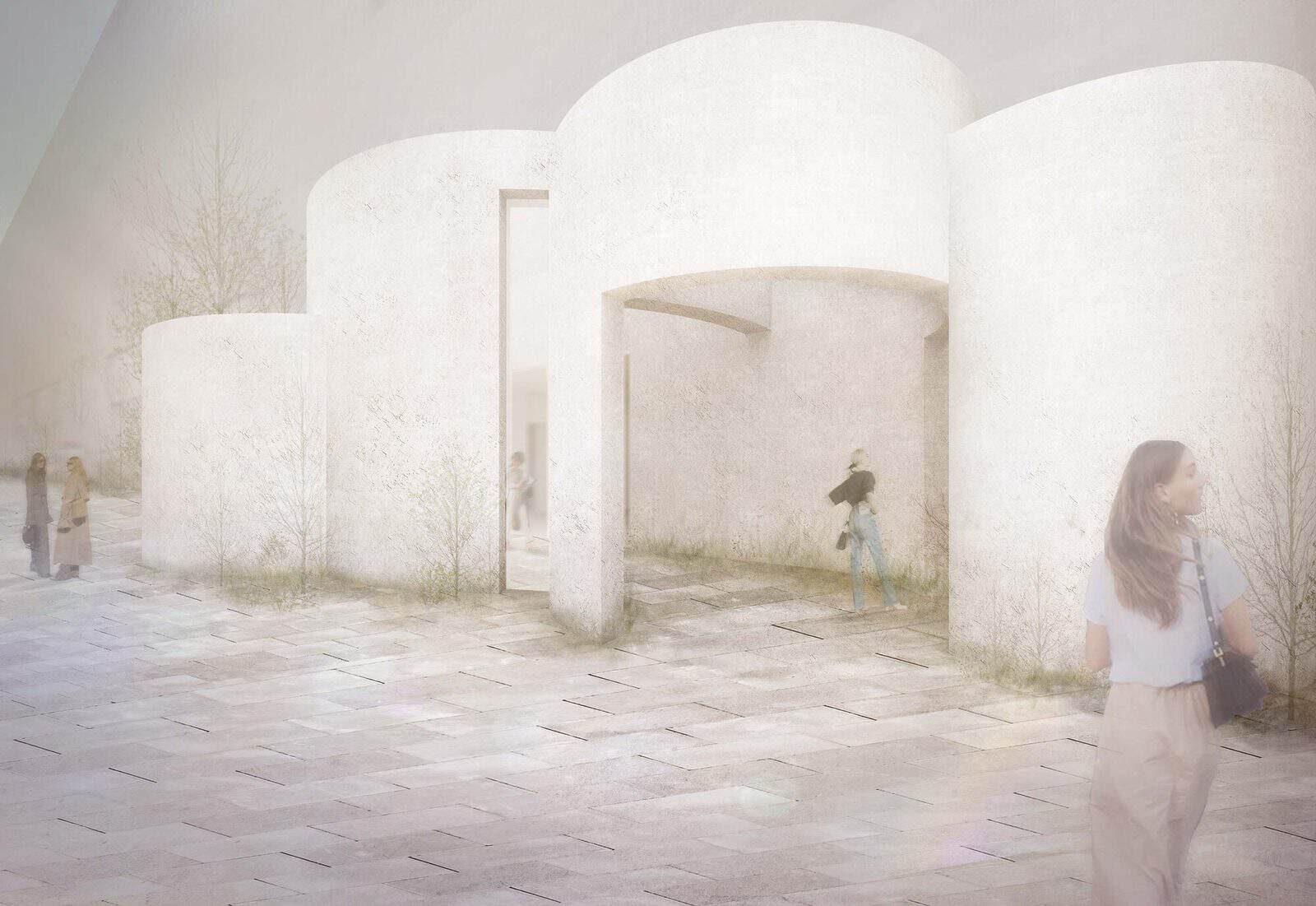
HAS design and research used this pale, dreamy illustration for its Simple Design Archive Gallery in Hefei, completed in 2024. White rounded volumes sit in an almost colourless courtyard, figures are blurred, and the whole image looks slightly faded. It is close to the clay or white-model style, with a little atmosphere added.
- What it shows: Space and light in a gentle, abstract way that leaves room for the imagination.
- When to use it: Galleries, small cultural buildings and concept boards where a photoreal image would feel too final.
- Tip: Start from a clay or white-material render, lift the blacks in Photoshop with a curves layer, add a soft wash of colour and blur some figures with a motion blur.
12. The Watercolour Render
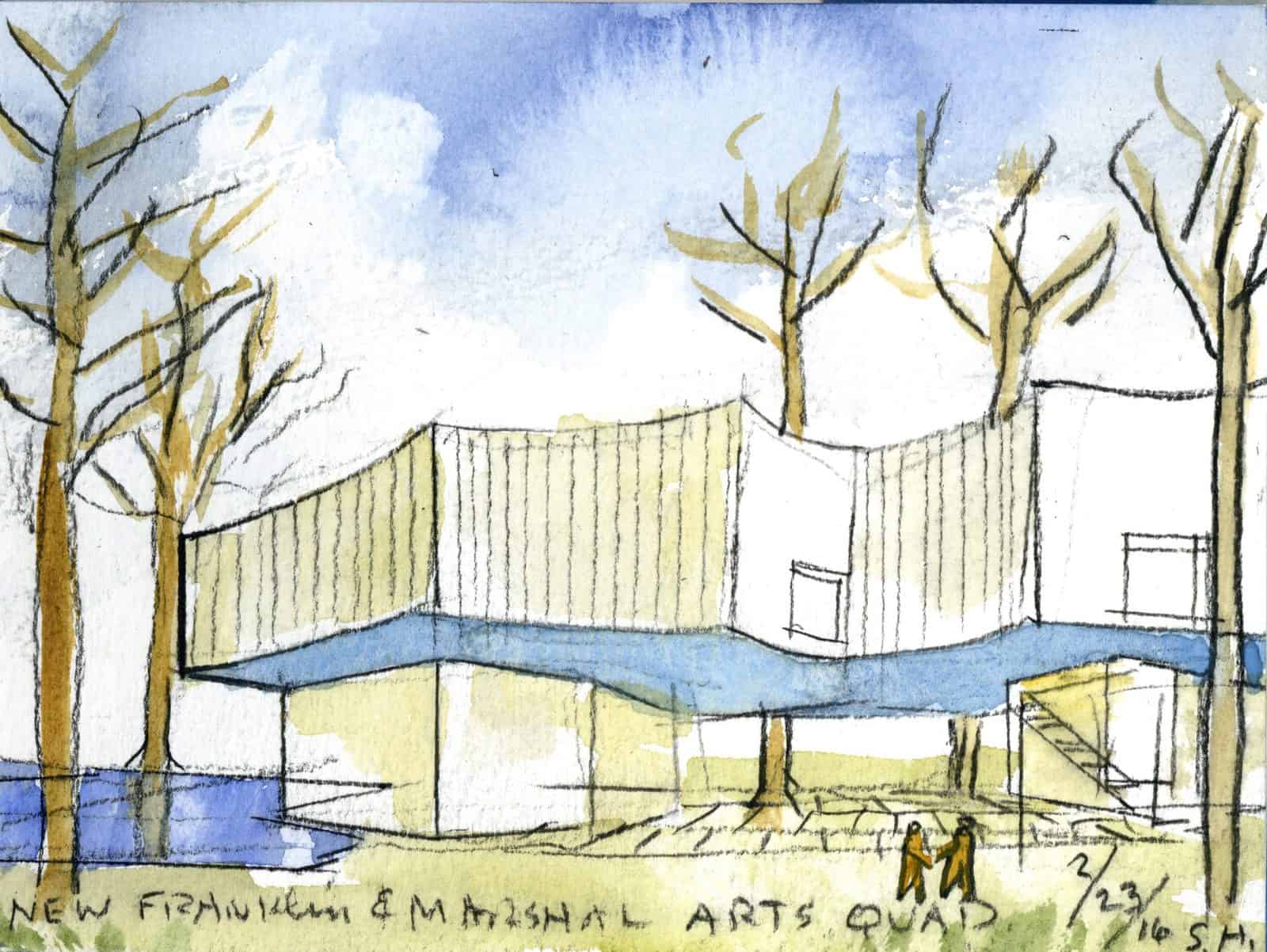
Steven Holl often starts projects with small watercolours, and this one for the Winter Visual Arts Building at Franklin and Marshall College in Lancaster, Pennsylvania, completed in 2020, is a typical example. Washes of blue, yellow and grey suggest the building, trees and sky, with a handwritten title and signature along the bottom.
- What it shows: The spirit of a design: its light, colour and relationship to landscape, without precise detail.
- When to use it: Early concepts, sketchbooks and as a personal touch in a final presentation.
- Tip: Paint by hand over a light pencil perspective traced from your model, or fake it digitally with watercolour brushes in Procreate or Photoshop over a line render.
13. The Hand Sketch Render
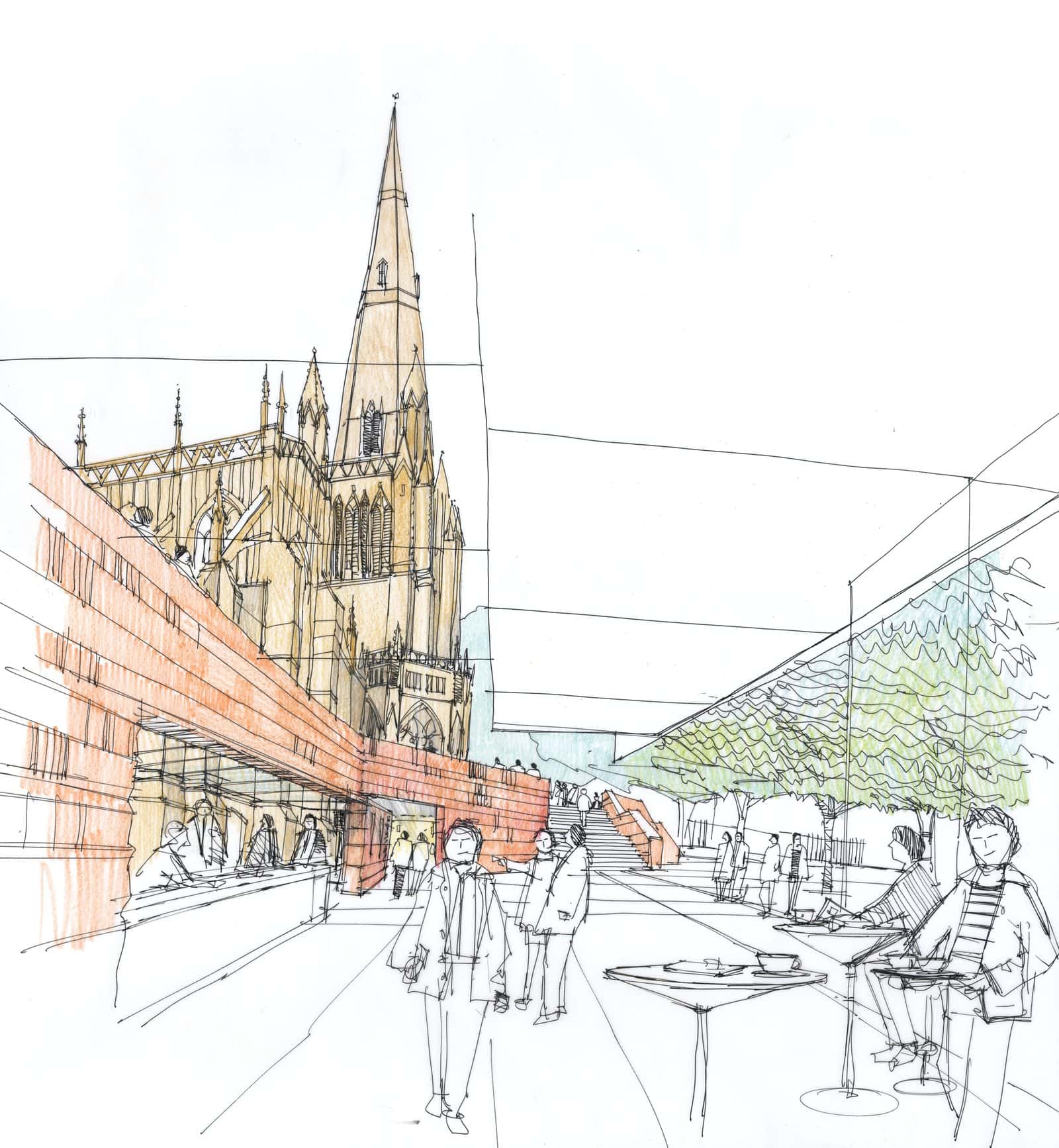
For the 2016 competition to revitalise the setting of St Mary Redcliffe church in Bristol, Purcell used a fine pen perspective drawn by Richard Carman. The spire, street, cafe tables and trees are all drawn in confident line, with just a touch of colour on the brick. It looks approachable and fits a heritage setting well.
- What it shows: A quick, human impression of a place, with the designer’s hand visible.
- When to use it: Heritage and public space projects, community consultation and early design discussions.
- Tip: Trace over a 3D model view or a site photo on a light table or iPad, vary line weight from foreground to background, and add colour only where you want the eye to go.
14. The Flat Graphic Render
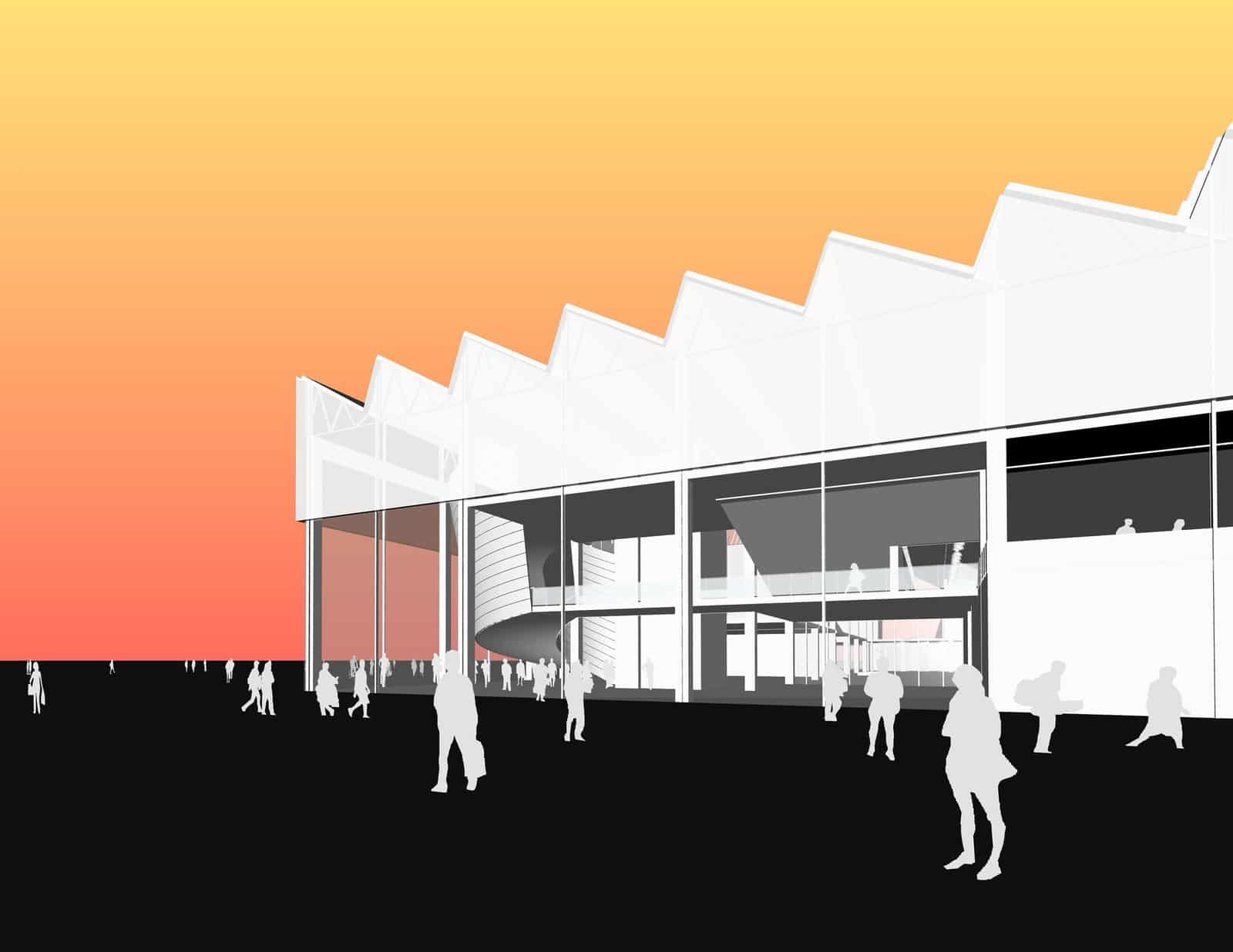
AECOM’s design studio in Los Angeles presented this basketball training facility with flat graphic images: a white building with a sawtooth roof, solid black ground, black silhouette figures and a bold orange-to-yellow sky. It is not photoreal at all, but it is memorable and reads well at any size.
- What it shows: Form and character in a bold, poster-like way.
- When to use it: Competitions, social media and presentation boards where you need an image to stand out from a wall of photoreal renders.
- Tip: Export a line or white render, then fill shapes with flat colour in Illustrator or Photoshop. Use one gradient for the sky and silhouettes from our cutouts for people.
15. The Collage
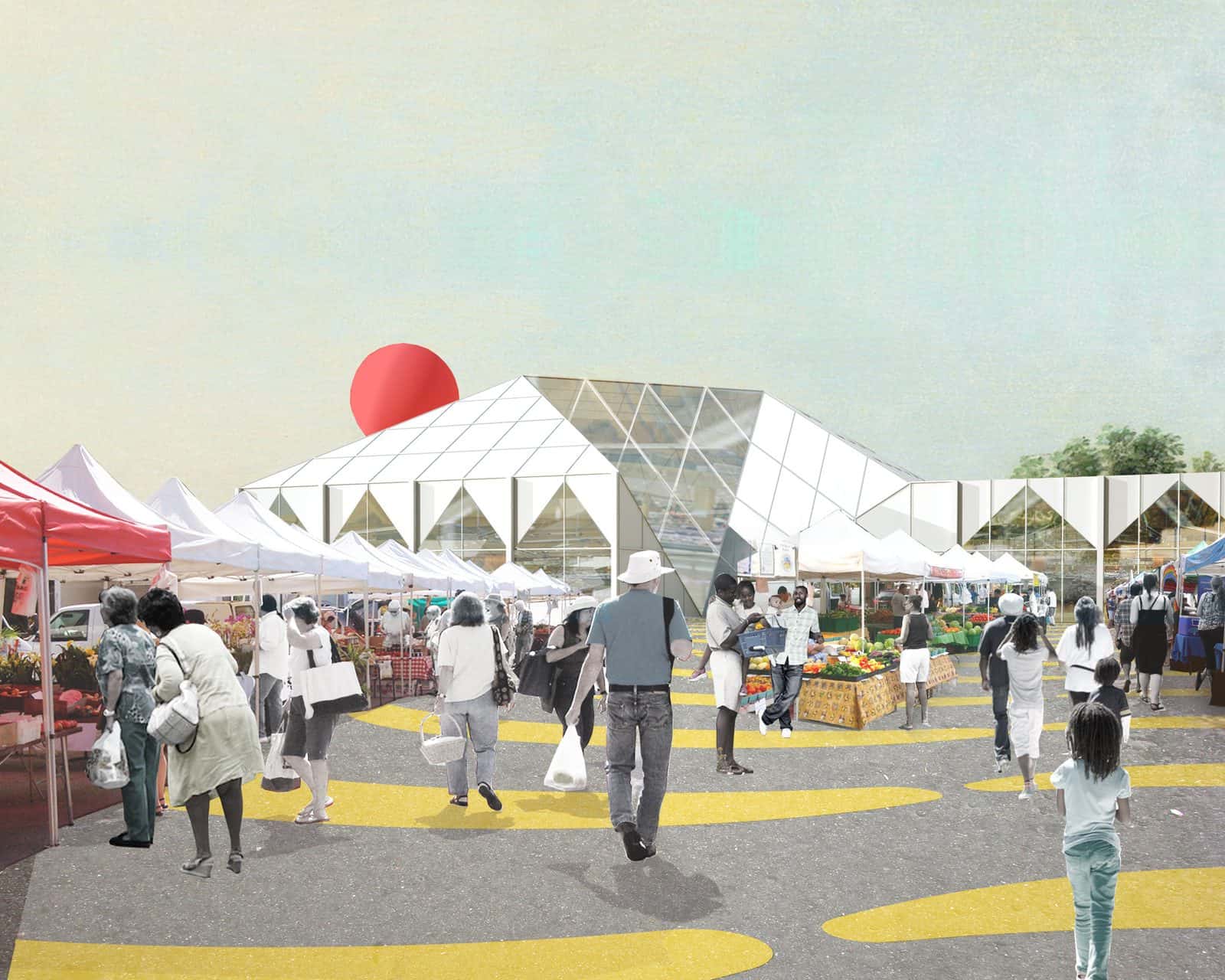
OMA’s Food Port for West Louisville, a food hub designed with Seed Capital Kentucky, was shown in collages that mix cutout people, market stalls, flat colour and a big red sun. It feels more like a poster than a photograph and focuses on the activity the project was meant to support.
- What it shows: Programme and atmosphere through a mix of photos, textures and flat graphics.
- When to use it: Concept stages and community projects where you want to show life and use rather than finished architecture.
- Tip: Keep a consistent light direction and colour grade across every element, and limit yourself to a few strong pieces.
Tips for Better Architectural Renders
- Choose the style before the software. Decide what the image has to say, then pick the tool. V-Ray and Corona suit photoreal stills, while Enscape, Lumion, D5 Render and Twinmotion are faster for quick iterations and animations.
- Spend most of your time on light. A simple model with good light beats a detailed model with flat light. Test a few sun positions or HDRIs before you touch materials.
- Add people and planting with care. Figures should match the light, perspective and style of the image. Use a few well-placed cutouts rather than a crowd.
- Finish in post-production. Almost every strong render gets a final pass in Photoshop for colour grading, contrast, atmosphere and small fixes.
- Keep a series consistent. If you show several renders, use the same style, palette and time of day so the set reads as one project.
Architectural Rendering FAQs
What are the main architectural rendering styles?
Common architectural rendering styles include photoreal, atmospheric, dusk and night renders, aerial views, photomontages, interiors, section perspectives, axonometric renders, monochrome and soft hazy images, watercolours, hand sketches, flat graphic images and collages.
Which rendering software is best for architecture students?
Enscape, Twinmotion and D5 Render are popular with students because they work in real time and are quick to learn. V-Ray and Corona give more control for high-end stills. Many students use a real-time engine for tests and Photoshop for the final image.
Do architectural renders have to be photorealistic?
No. Photoreal renders are useful for clients and planning, but sketches, watercolours, monochrome and graphic styles are often stronger at the concept stage because they show the idea without pretending every detail is decided.
How long does an architectural render take?
A quick real-time render can take minutes once the model is ready. A polished competition still usually takes several hours to a few days, with most of that time spent on lighting, materials, entourage and post-production.
Conclusion
The best architectural rendering style is the one that matches what you need to say. Use photoreal, dusk and photomontage images when people need to believe a building, aerial and section perspectives to explain how it works, and sketches, monochrome, graphic or soft styles when the idea matters more than the finish. Pair your renders with clear architectural diagrams and drawings, and the whole presentation will read as one story.
Recent Posts
Architecture Presentation Board Layouts: 15 Examples and Tips
Architectural Rendering Styles: 15 Examples and How to Make Them
How to Use Textures in Architectural Renders: Where to Find Them and How to Apply Them