How to Use ChatGPT Images 2.0 to Create Architectural Renders
You’ve spent hours modelling a project in Revit, SketchUp, or AutoCAD, but the presentation image still looks flat. Materials feel lifeless, landscaping is missing, and the scene lacks atmosphere. That’s where ChatGPT Images 2.0 changes the workflow.
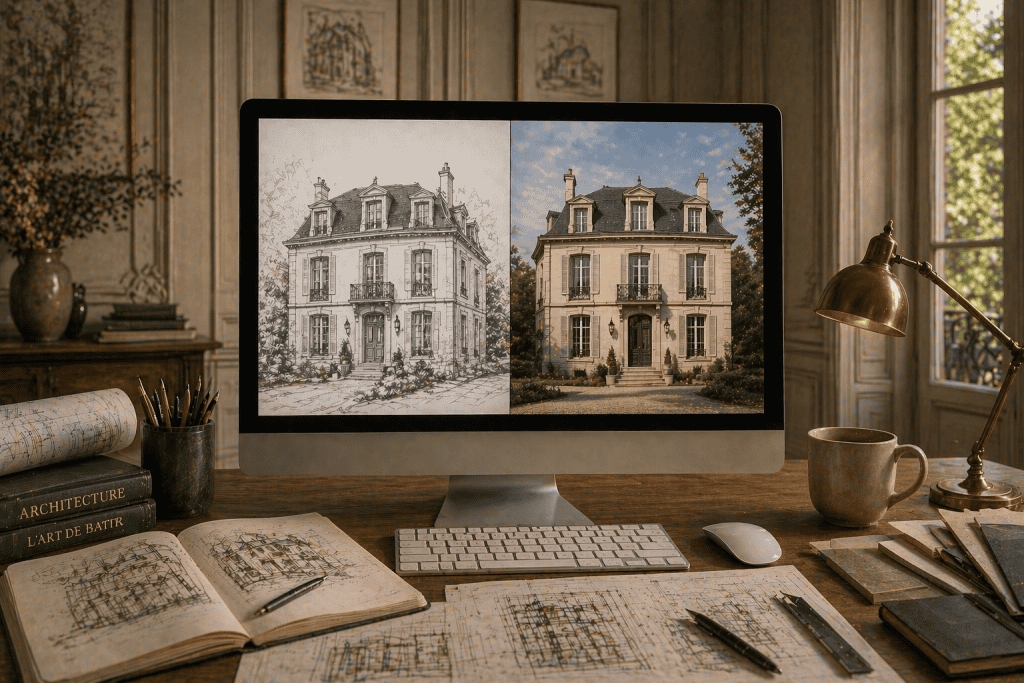
Instead of spending days rendering and post-producing, you can upload screenshots from your CAD or 3D model and turn them into polished, realistic architectural visuals in minutes. With the right prompts, it can preserve your geometry while dramatically improving realism, context, mood, and presentation quality.
For architecture students and professionals alike, this opens a faster path to high-impact imagery.
Why ChatGPT Images 2.0 Matters for Architects and Students
Architectural communication depends on visuals. Clients, tutors, juries, and stakeholders often understand a design faster through an image than through plans or technical drawings.
ChatGPT Images 2.0 helps bridge the gap between raw model screenshots and compelling presentation imagery. You can take a basic massing model, elevation screenshot, or perspective view and transform it into a render that feels atmospheric and professionally finished.
For students, that means stronger portfolios and cleaner studio submissions. For architects, it means faster client visuals, design option studies, and marketing-ready concepts.
What ChatGPT Images 2.0 Can Do for Architectural Renders
Realistic Exterior Perspectives
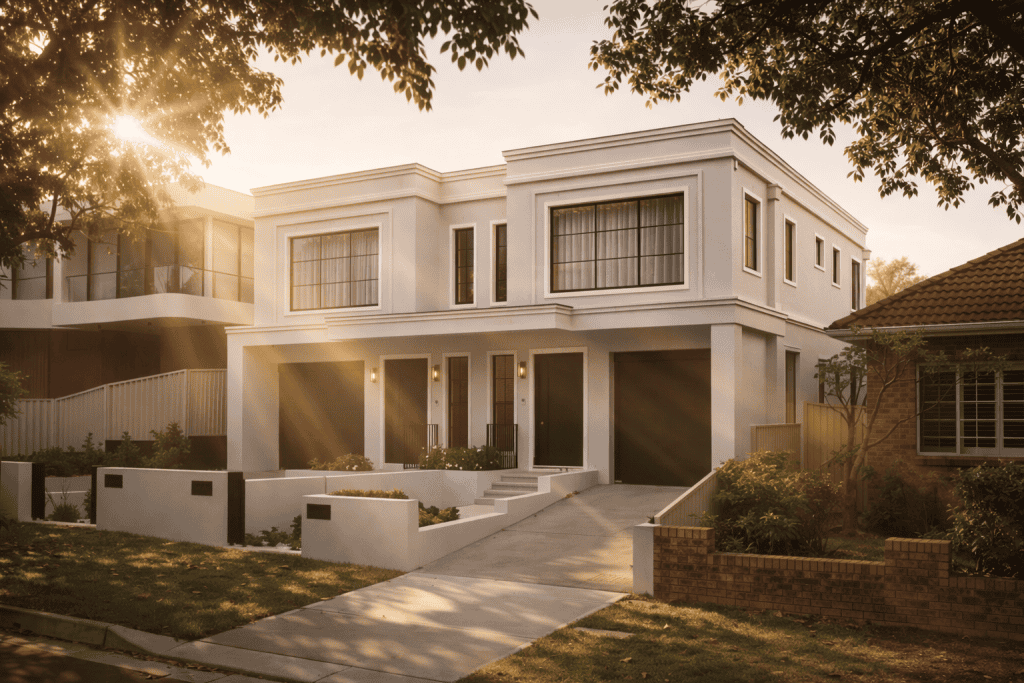
Generate polished street views, front facades, rear yard perspectives, townhouse rows, apartment entries, and suburban homes with realistic materials, lighting, shadows, and landscape detail.
A simple white model can become a warm brick residence with timber screening, glazing reflections, paving, and lush planting.
Interior Mood Visuals
Upload rough interior scenes and convert them into realistic kitchens, living rooms, bathrooms, offices, hospitality spaces, or apartment interiors.
You can specify Scandinavian, minimalist, industrial, coastal, luxury, or contemporary styles.
Material and Facade Variations
Need to compare dark brick vs off-form concrete? Timber battens vs aluminium screens? Stone cladding vs painted render?
Use the same source image and request multiple facade options quickly.
Landscape and Context Enhancements
AI can add trees, hedges, planter boxes, streetscape planting, realistic grass, parked cars, pedestrians, weather mood, and neighborhood context that brings scenes to life.
Best Source Files to Upload for Strong Results
Your output quality often starts with your input image. Strong source files include:
- Perspective screenshots from SketchUp
- Camera views from Revit
- Elevation or 3D exports from AutoCAD
- Views from Rhino 3D
- Clay renders from 3ds Max
- Hand sketches with clear perspective
- Massing models with visible openings
For best results:
- Use a clean camera angle
- Keep lines readable
- Avoid cluttered layers
- Use daylight views where possible
- Frame the building clearly
Think of your screenshot as the composition blueprint for the final render.
Step-by-Step Guide: Turn CAD Screenshots Into Realistic Renders
1. Capture the Right Screenshot
Open your model and choose the strongest perspective. Usually this means:
- Eye-level street view
- Slight corner angle
- Hero front elevation perspective
- Rear garden outlook
- Interior focal point
Export at the highest resolution possible.
2. Upload Into ChatGPT Images 2.0
Upload the screenshot directly into the chat and request an image transformation.
The cleaner the image, the better the result.
3. Use This Recommended Prompt
Do realistic render of this photo;
(Keep the same shapes and forms of buildings and fences, windows and doors);
lush foliage on planter boxes;
slightly blurred suburban Australian (or country of choice);
make the quality of photo more natural and less plastic feel;
Smooth quality, like 3Ds Max & Vray rendering.
[Add additional info]
4. Add Additional Info for Better Results
Examples:
- warm late afternoon sunlight
- luxury contemporary materials
- charcoal brick facade
- timber battens and concrete path
- premium landscaping
- cloudy Melbourne streetscape
- coastal Sydney atmosphere
- modern minimalist house
- realistic people walking nearby
5. Refine With Follow-Up Requests
After first generation, continue improving:
- Make materials more realistic
- Increase tree maturity
- Softer lighting
- More premium facade finishes
- Cleaner glazing reflections
- Reduce overdone landscaping
- Sharpen building details
This iterative process is where results become exceptional.
Recommended Prompt for Architectural Rendering
Use this polished version:
Do realistic render of this photo. Keep the same shapes and forms of buildings, fences, windows and doors. Add lush foliage to planter boxes and landscaping. Use a slightly blurred suburban Australian (or whatever country you'd like) streetscape background. Make materials feel natural and premium, less plastic. Smooth realistic quality like 3Ds Max and V-Ray rendering. Use accurate shadows, reflections and architectural realism. [Add project-specific details]
This keeps geometry while improving realism.
How to Get Better Architectural Renders Every Time
Use Better Camera Angles
Corner perspectives often outperform flat front elevations because they show depth and form.
Mention Real Materials
Instead of “nice facade,” say:
- warm white render
- recycled brick
- black aluminium windows
- spotted gum timber battens
- travertine paving
Specificity wins.
Add Realistic Human Detail
Include:
- one parked car
- subtle people walking
- bicycles
- outdoor furniture
- garden lighting
These create scale.
Control the Mood
Try:
- overcast premium editorial look
- golden hour sunlight
- crisp morning light
- moody rainy atmosphere
- bright summer Australian daylight
Avoid Over-Perfection
Request:
- natural imperfections
- subtle texture variation
- realistic wear
- less glossy materials
That prevents the plastic AI look.
Advanced Prompt Ideas for Architects
Luxury Residence
Modern luxury home, travertine facade, warm lighting, premium landscaping, sunset mood.
Townhouse Development
Three modern townhouses, cohesive material palette, realistic driveway, suburban Melbourne streetscape.
Coastal House
Contemporary coastal home, limestone textures, windswept grasses, soft ocean light.
Apartment Building
Mid-rise apartment facade, active ground floor, realistic pedestrians, urban streetscape.
Interior Kitchen
Luxury minimalist kitchen, marble island, oak joinery, soft daylight, magazine-quality realism.
Common Mistakes to Avoid
Low Quality Screenshots
Blurry screenshots usually create blurry renders.
Vague Prompts
“Make it better” is weak. Be specific.
Wrong Perspective
If the source composition is poor, the final image often remains poor.
Too Much Landscaping
Overgrown unrealistic trees can overpower the architecture.
Plastic Materials
Always request natural textures, subtle reflections, and realistic finishes.
Why ChatGPT Images 2.0 Is Becoming a Powerful Rendering Tool
Architectural rendering used to require specialised software, long render times, and extensive post-production. Now, high-quality visuals can begin with a screenshot and a smart prompt.
For architects and students, the real advantage is speed with quality. You can test ideas faster, present work better, and generate striking imagery without slowing the design process.
The best users will be the ones who combine strong architecture, clean modelling, and precise prompting.
Frequently Asked Questions
Can ChatGPT Images 2.0 keep my building design the same?
Yes, especially when you instruct it to keep the same shapes, forms, windows, doors, and fences. Clear screenshots help preserve geometry.
What software should I export from?
Revit, SketchUp, AutoCAD, Rhino 3D, and Archicad all work well if the screenshot is clean.
Can it create Australian suburban renders?
Yes. Prompt for Australian streetscape, native planting, driveway style, weatherboard homes, brick homes, gum trees, or local urban context.
How do I make renders look less fake?
Ask for natural materials, subtle imperfections, realistic reflections, balanced lighting, and less plastic finishes.
Is it useful for portfolios?
Absolutely. Students can transform raw model views into stronger presentation boards and portfolio imagery quickly.
Recent Posts
Romanesque Architecture Explained: Arches, Mass, and Monastic Power
Neoclassical Architecture Explained: Order, Symmetry, and Democratic Ideals
Abu Dhabi’s Architectural Identity: Key Buildings, Design Strategies & What Architects Can Learn